User operation, Displays and Infotainment
Back to overview
Touchpad, voice control, intelligent search functions – the options for operating the infotainment on our Audi models are highly varied. They all aim to achieve a common goal: to offer state-of-the-art systems that are both intuitive and ergonomic to use.
Note: The technologies described here reflect the state of development at Audi, either as it currently stands or as it has been in the past. Not all systems mentioned are available in the current model range.
Contents
Audi App Store
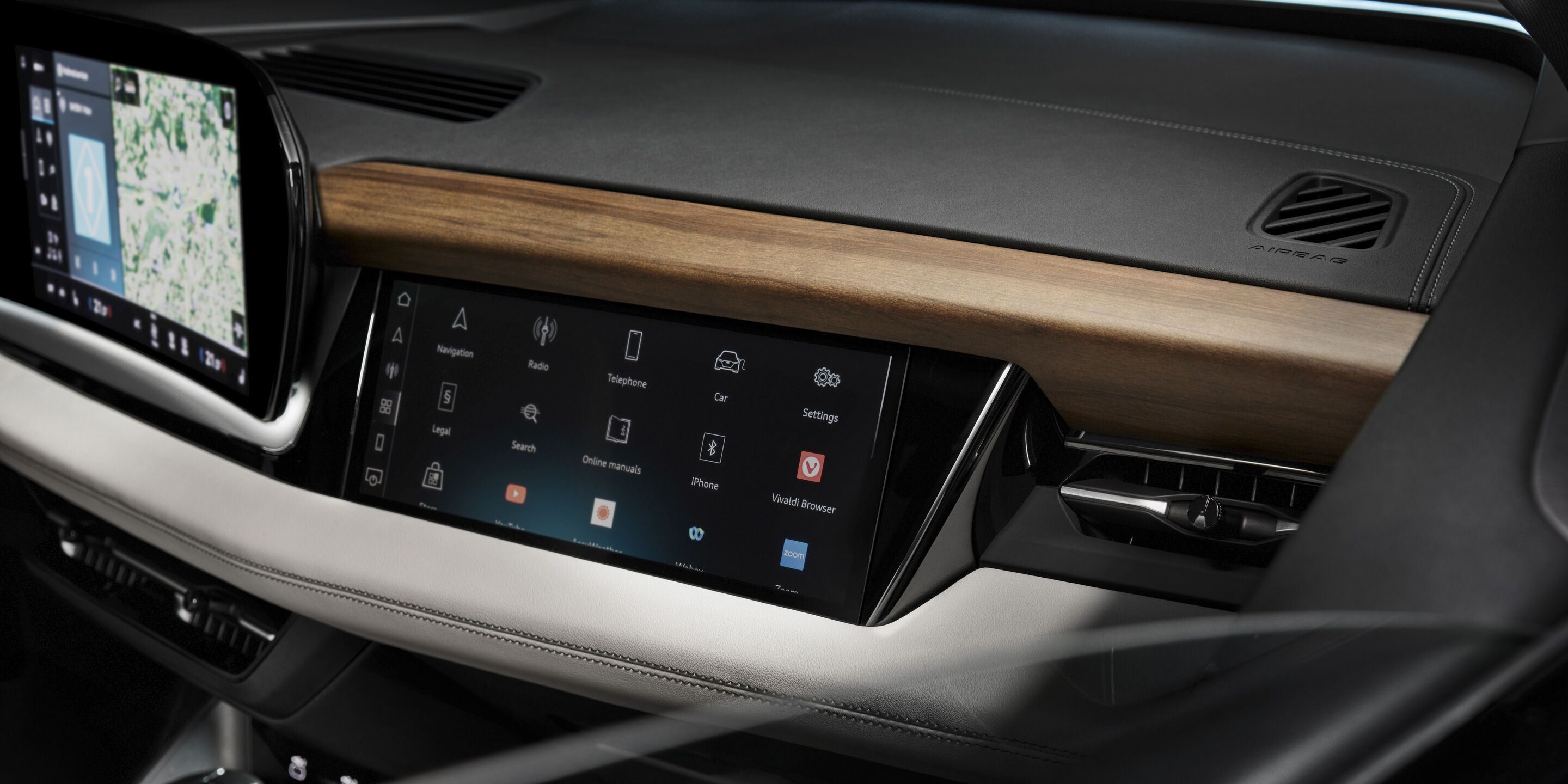
For the first time, an infotainment system based on the E3 electronics architecture uses the Android Automotive OS as its operating system. Well-known apps such as YouTube are thus available from the store for third-party apps, which is directly integrated into the MMI and does not require a smartphone to use. The following categories are available: Music, Videos, Gaming, Navigation, Parking & Charging, Productivity, Weather, and News Services. The Music category includes apps such as Amazon Music and Spotify. The store is constantly being expanded and the app portfolio is market-specific. It can be selected via a separate tile in the MMI. The additional apps are then seamlessly integrated into the MMI and can be used safely and reliably while driving. The familiar Audi smartphone interface for integrating Apple CarPlay and Android Auto is also on board.
Audi assistant
Audi connect
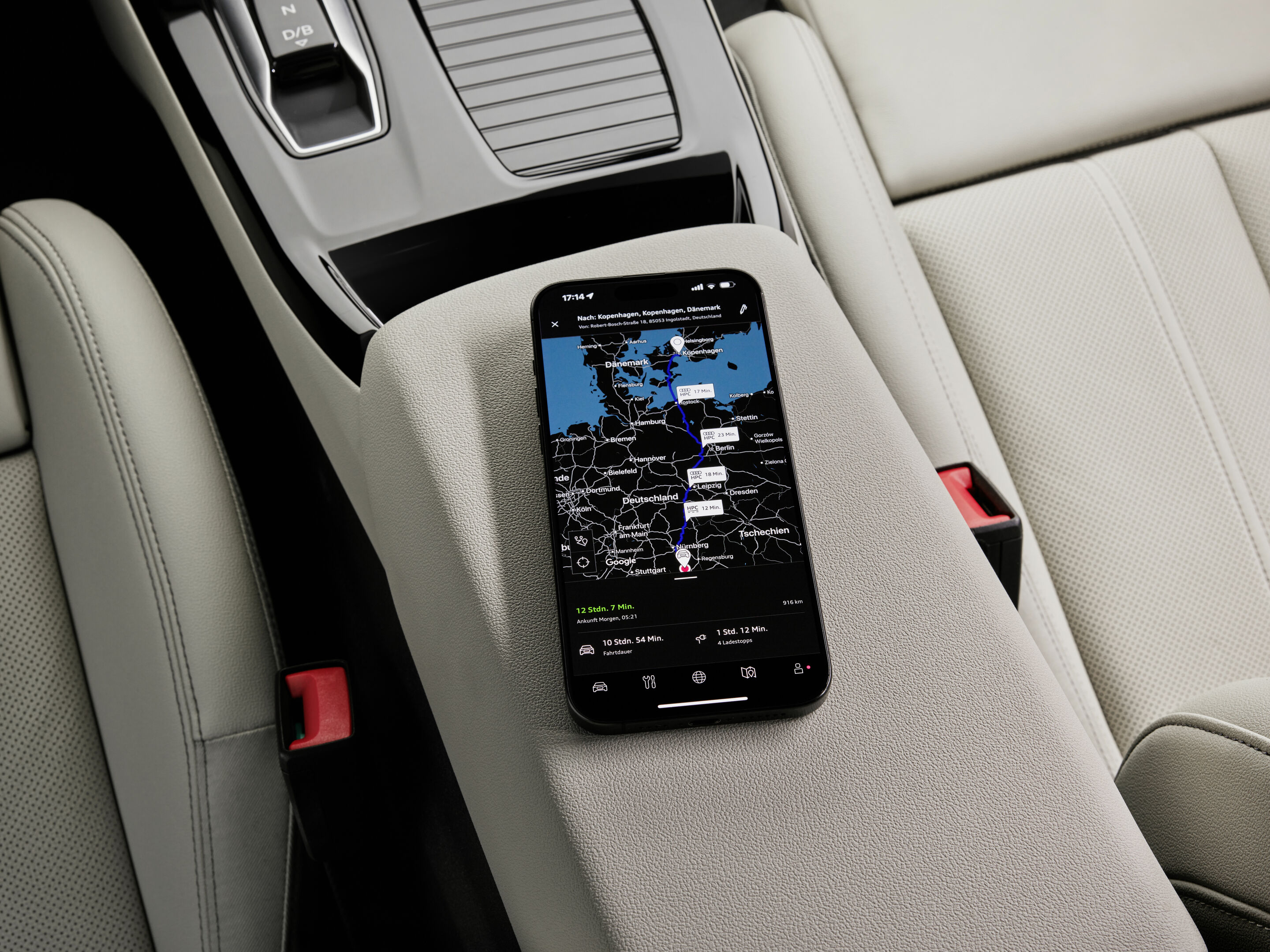
Audi connect offers many other services, such as access to X (formerly Twitter) and email. Navigation with Google Earth, the online radio, and hybrid radio – which automatically switches between FM, DAB+, and web stations – are all part of MMI navigation plus. Audi connect navigation & infotainment services run via the Audi connect SIM that is permanently installed in the car and are free of charge for the first three years after purchasing a new car. Audi connect emergency call and service functions are a separate package. Vehicle owners can immerse themselves in the brand’s digital ecosystem via the myAudi app. With the optional Audi connect key, customers can lock and unlock their vehicle using an Android smartphone.
Audi connect stolen vehicle tracking system
The Audi connect stolen vehicle tracking system provides the best possible vehicle protection. In the event of theft, the system is triggered either manually or automatically, for example by activating the anti-theft alarm. The vehicle can then be located remotely via the Security Operations Center and, if necessary, immobilized. By locating the vehicle, the police can be supported quickly and efficiently in recovering the vehicle. Furthermore, the myAudi app can be used to set a transport mode or workshop mode to ensure that no alarm is triggered during transfers or workshop visits. The Audi connect stolen vehicle tracking system is certified by independent research institutes for vehicle security and is available ex works. To be able to use the Audi connect stolen vehicle tracking system, the owner must be set as the key user of the vehicle via myAudi. The tracking system can then be activated. For more information on activation, customers should contact their Audi partner or refer to the vehicle operating instructions.
Audi connect emergency call & service

The Audi connect emergency call & service features comprise two areas. The first cluster consists of the emergency call, online roadside assistance, and the Audi service request.
When the airbag is deployed after an accident, the car automatically makes an emergency call, establishes a voice and data connection to the emergency call center, and transmits important data such as the GPS position, the direction of travel, and the number of occupants. A specially trained service representative will ask for additional details about the severity of the accident in order to initiate the optimal emergency response immediately. If the accident victims are no longer responsive, an ambulance will be automatically dispatched to the scene of the accident. An emergency call can also be triggered manually using a button in the roof module. Additionally, with the help of the Online Car Care service, the vehicle can anticipate certain breakdowns before they even occur. Thanks to its own power supply, the emergency call module is able to establish a voice connection even if the car’s power fails.
Online roadside assistance can also be triggered manually using a button in the roof module. A connection to the Audi Service Center is established and the position and status of the car are transmitted.
With Audi service request, customers can book a desired service and preferred appointment time via the myAudi app. They choose which service they want to book – such as an oil change or tire change – and then select the date and time based on availability in the myAudi app. Two weeks before the scheduled maintenance appointment, the vehicle sends service-relevant data to the workshop to ensure optimal preparation.
The second area of the package, Audi connect remote & control, integrates the remote services that can be controlled via the myAudi app. This includes locking and unlocking the car, requesting the Car Finder, and retrieving the vehicle status. The status report also lists information on the locking status of windows and doors, the remaining range, and the fuel and oil levels, which customers can view on their smartphones. In addition, the optional auxiliary heating can be programmed via the myAudi app. The charging status and electric range of the Audi e-tron models can be called up in the app. Furthermore, the charging process and climate control can be activated remotely – even at specific times using customizable timers. Charging and driving statistics complete the range of features.
Audi connect key

With the Audi connect key, Audi has digitalized the conventional vehicle key and transferred it to the smartphone. It is used to open and close the car and authorizes the engine to be started. Communication between the vehicle and smartphone takes place via Near Field Communication (NFC). This technology refers to a standard in which data is transmitted over short distances by radio. To unlock the car, drivers hold their smartphone close to the driver’s door handle, which contains an NFC antenna. To start the engine, the smartphone is placed in the Audi phone box, which is also equipped with an NFC antenna.
The highly sensitive data of the digital key is protected in the smartphone against reading, duplication, and manipulation. To this end, the Audi connect key is located in a secure storage and execution environment in the smartphone – either on the SIM card or directly in the device. This secure element is connected directly to the NFC antenna via Single Wire Protocol (SWP) – a further security benefit, as the smartphone’s operating system is not involved in the communication between the car and the smartphone.
Up to 15 keys can be shared over the air, for example with family members, friends, or colleagues. The car recognizes the person as soon as they open it and loads a wide range of settings from their individual profile – including seat position, climate control, and navigation. The 1:1 relationship between key and vehicle is also eliminated, as the smartphone can integrate keys for multiple vehicles. For situations in which the Audi connect key needs to be shared at short notice, the Audi connect key card (in the form of a credit card) is available in the car. It can be activated and shared, for example for valet parking or in the event of a breakdown. The Audi connect key is always ready for use, even if the smartphone battery is empty (depending on the model), because the NFC chip draws its required energy from the other station’s electromagnetic field – in this case, the vehicle.
Audi connect SIM
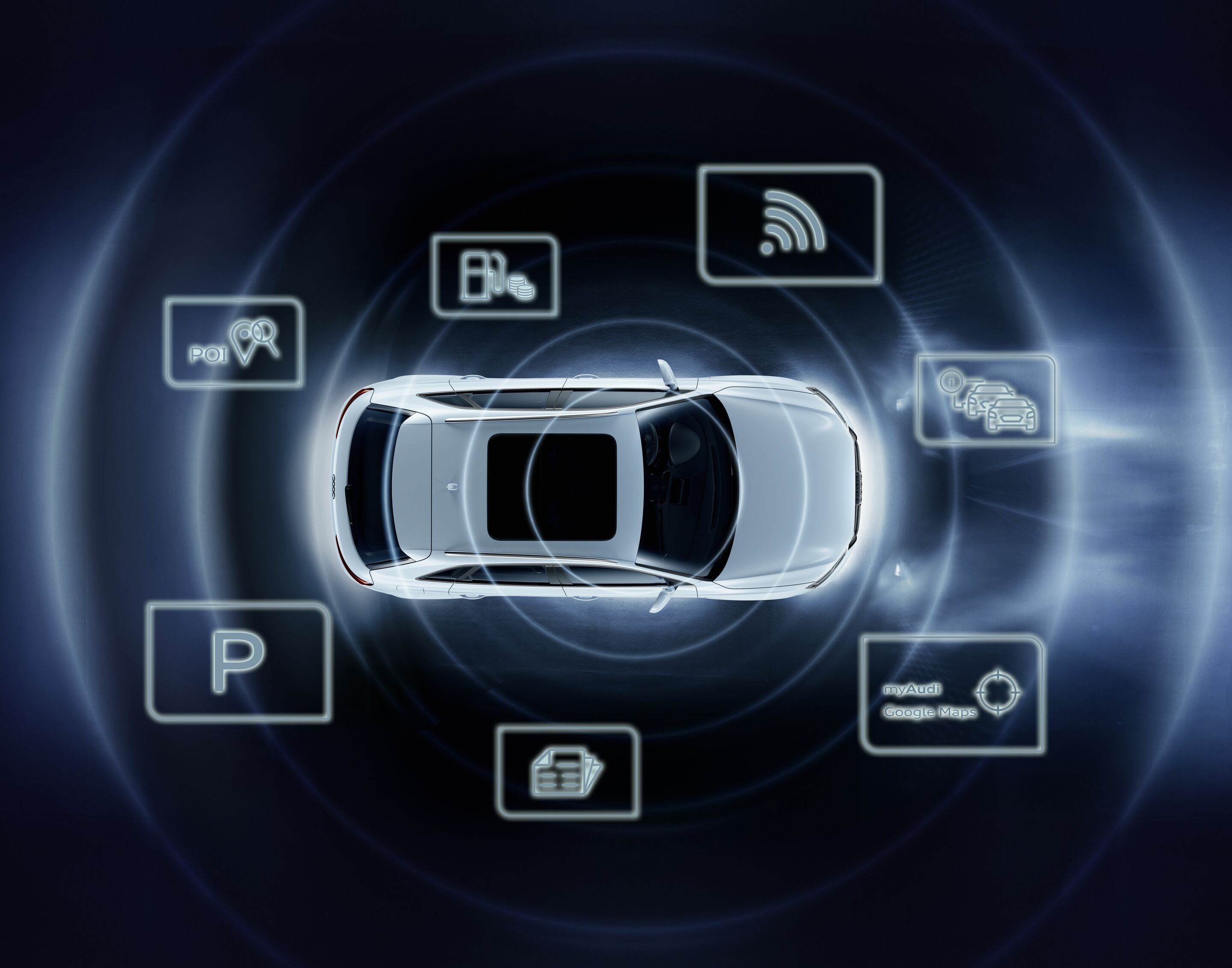
The Audi connect SIM is a SIM card permanently installed in the car, which customers in Europe receive with the Audi connect optional equipment, depending on the model and country. It includes an unlimited data volume for using the connect services. The Audi connect SIM also automatically accesses the respective country provider in most European countries when needed. This means that high cross-border roaming charges and inconvenient roaming confirmations are a thing of the past.
Customers can also purchase data volume for their own Wi-Fi hotspot for up to eight mobile devices. This also enables online media streaming (e.g. from Amazon Prime Music and Apple Music) and listening to web radio stations via online radio. These additional data packages can be booked via Cubic Telecom.
Audi MMI connect app
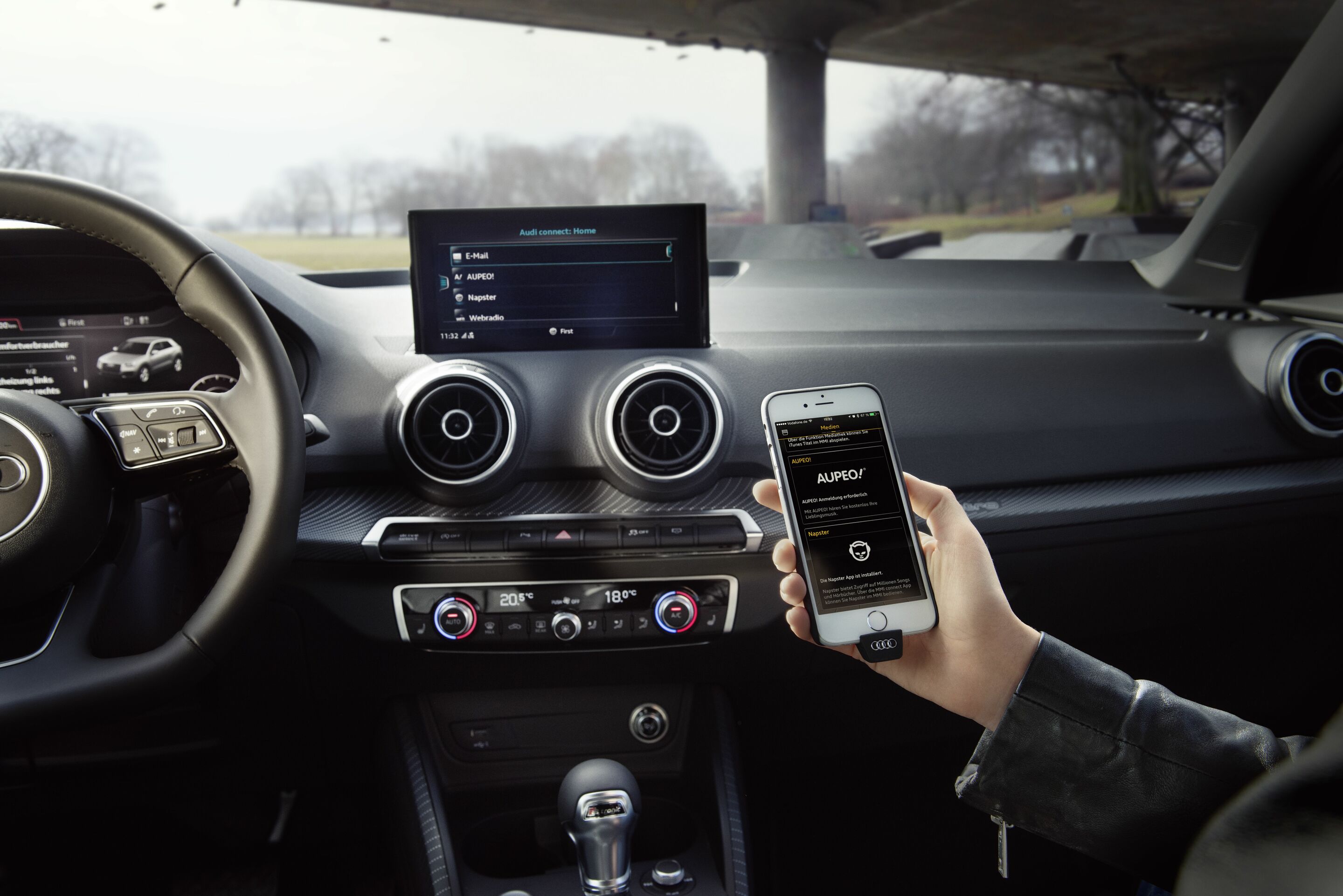
The Audi MMI connect app offers many additional functions beyond the Audi connect services that can be operated using the onboard MMI system. These include transferring a calendar from a smartphone to the MMI screen in the car. Drivers can select the location of a meeting from their smartphone as a navigation destination and add the corresponding phone number as a contact entry. The system can read out the location, time, and content of an appointment. The app also allows users to receive more than 3,000 internet radio stations and save their favorites on their smartphone. It is also possible to play music stored locally on the smartphone in the car and stream media online with access to Napster. In addition, the app displays current traffic information on the smartphone and suggests travel destinations via the Travel service. Navigation destinations can be planned on a PC or smartphone as desired: customers can send individual destinations to the Audi backend via the myAudi online portal, Google Maps, and the Audi MMI connect app. These destinations can then be accessed for navigation in the car.
Customers can download the Audi MMI connect app free of charge from the Google Play Store or the App Store. Registration with myAudi is then required. Users can then manage individual connect services, make service appointments, and obtain information about the car. To do this, the vehicle’s chassis number must be stored in the system.
Audi phone box
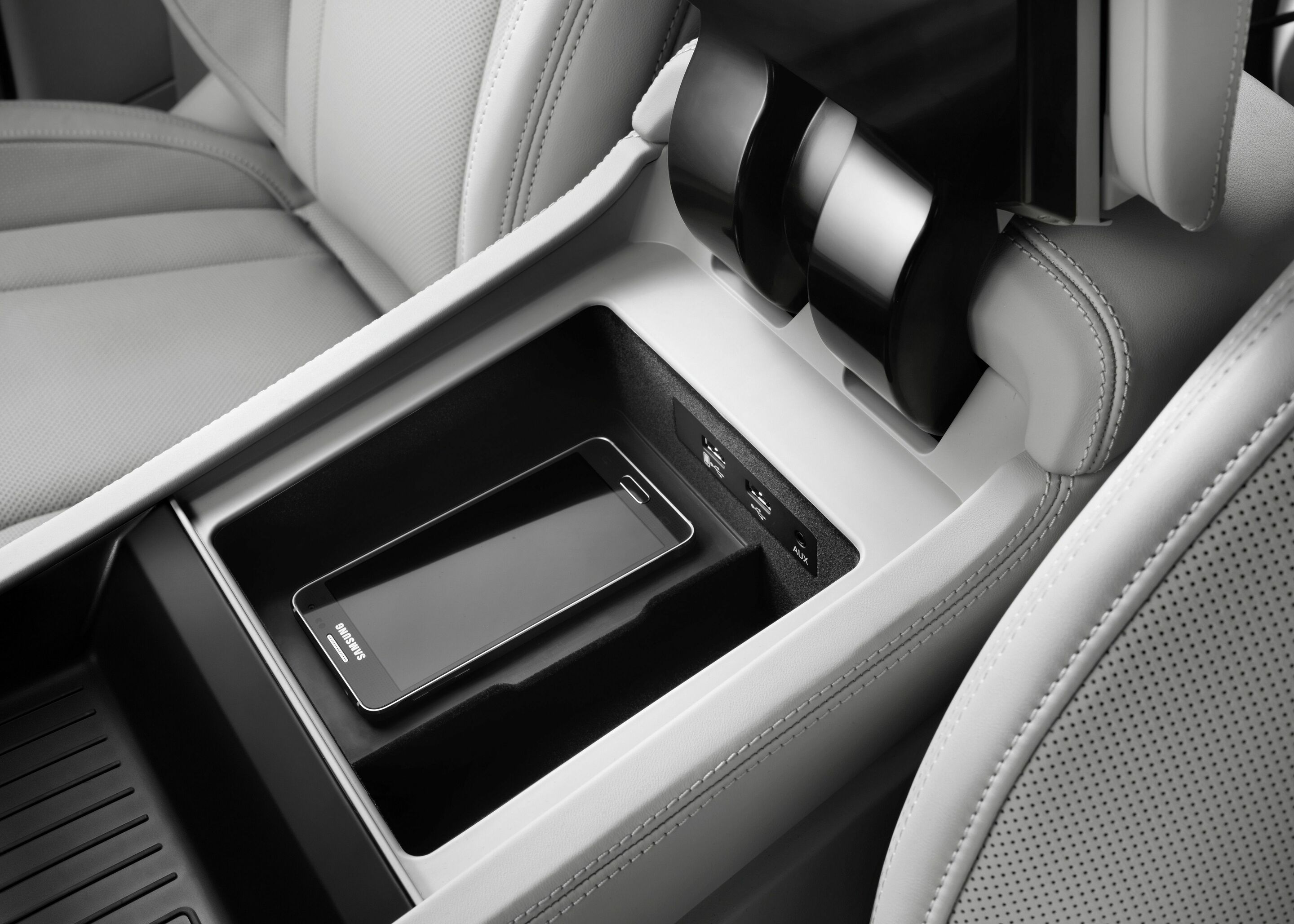
The Audi phone box with wireless charging connects cell phones to the car antenna wirelessly via near-field coupling, significantly improving call quality. Two cell phones can be connected simultaneously for hands-free calling. The cell phone connected first is displayed in the MMI, including the complete contact list. Depending on the smartphone model, emails and text messages can also be displayed in the MMI via Bluetooth. Many versions of the Audi phone box also enable inductive charging in accordance with the Qi standard, provided that the mobile device is suitable for wireless charging. The current flows from a coil in the base of the box to the receiver coil in the smartphone. In some models, the phone box is also cooled to prevent the battery in the smartphone from overheating.
Voice over LTE speeds up the connection process and enables the simultaneous use of high-speed data transmission and high-definition online voice telephony (HD Voice).
Several versions of the Audi phone box are available – for cockpit and rear passengers, and with or without NFC antenna connection. Depending on the other equipment, it can also perform additional tasks such as identifying and authorizing the Audi connect key or the Audi connect key card. Rear-seat passengers can also use the Audi phone box for making discreet phone calls – in this case, the rear seat remote control unit becomes the handset.
Audi smartphone interface
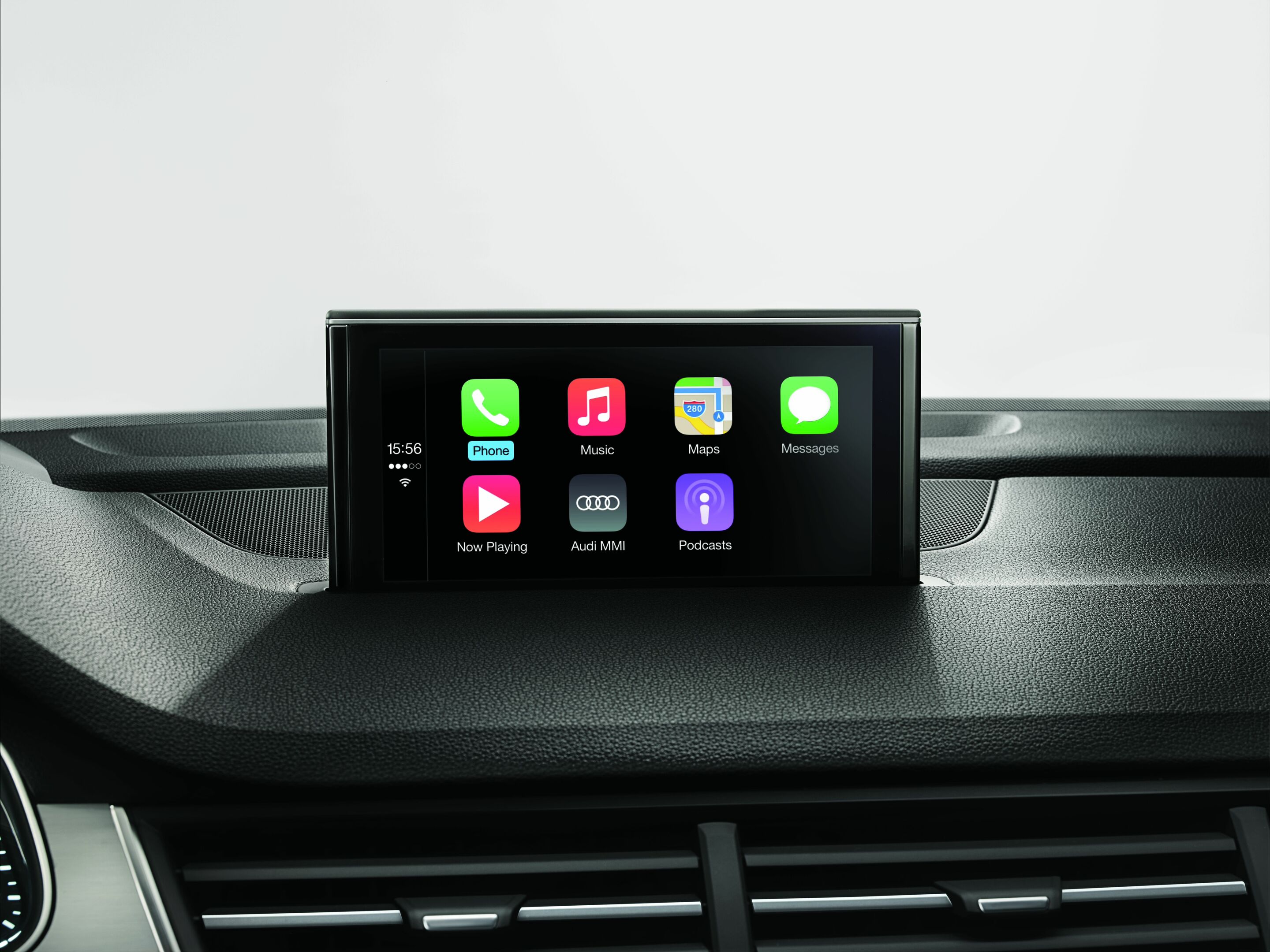
The Audi smartphone interface connects wirelessly to iOS and Android smartphones, bringing Apple CarPlay or Android Auto to the MMI display and thus the familiar smartphone environment on board the vehicle. Content such as navigation, phone, music, and selected apps appear in a separate MMI menu or in the Audi virtual cockpit. The contents of the iOS or Android device connected via USB port or wireless pairing can be conveniently accessed via the vehicle controls. The Audi smartphone interface works independently of the navigation system and Audi connect services.
Audi tablet
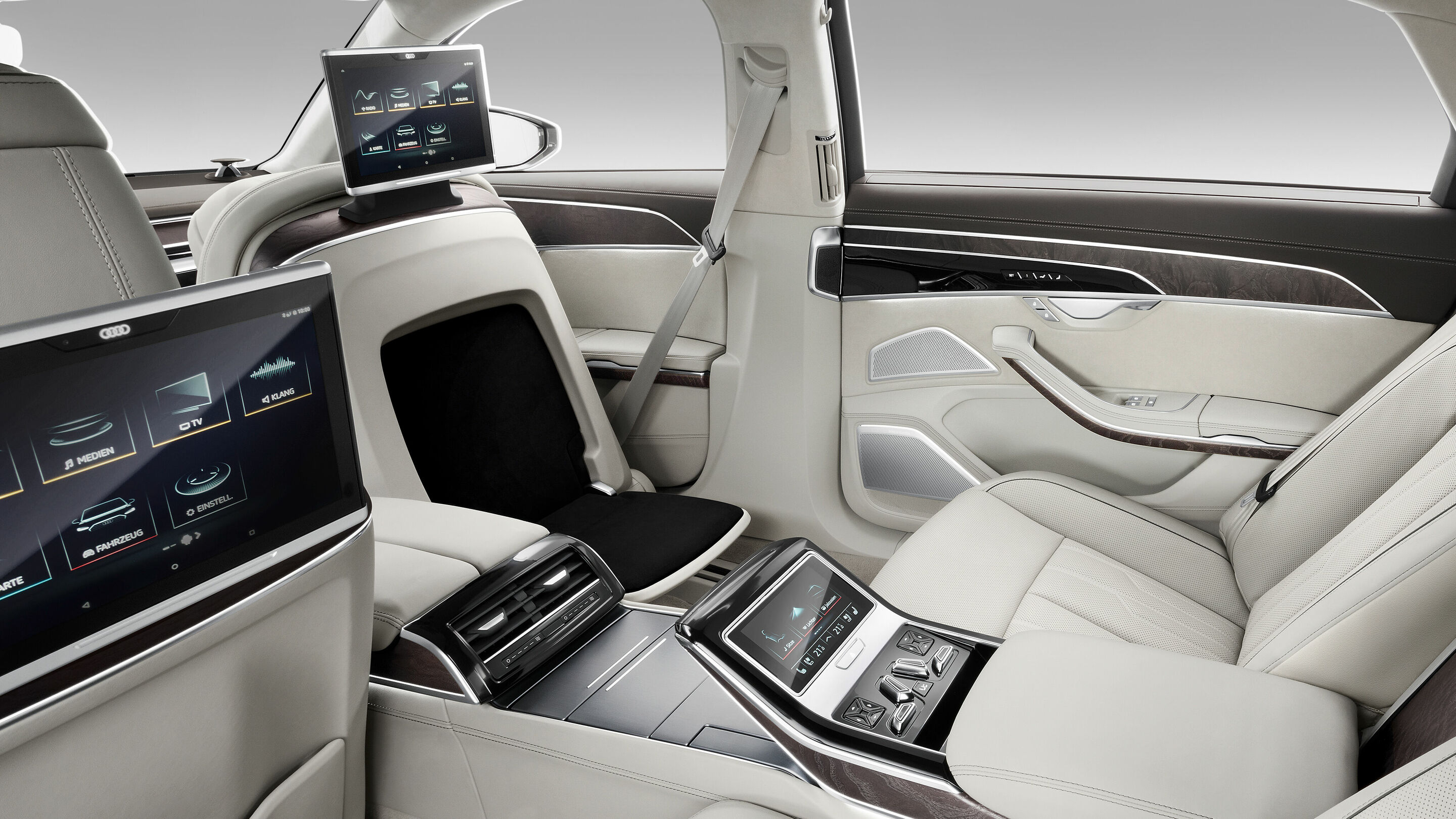
With its high-resolution 10.1-inch screen (1,920 x 1,200 pixels), the Audi tablet is a flexible rear-seat entertainment system. The tablet, which is available for the A8 and A8 L, connects to MMI navigation plus via Wi-Fi, giving it access to the Radio, Media, Navigation, and Vehicle Functions menus. Data is transferred in both directions – for example, the rear passengers can send a planned route to the driver, while the driver can start a radio or media program for them from MMI navigation plus.
The Audi tablet uses the Android operating system and supports NFC technology, which allows data to be transferred from other Android devices by proximity. It has 32 gigabytes of internal memory and can be expanded with additional memory using a microSD card.
Clicking on the “more” button in the start menu enables access to the internet – to around one million apps and games, films and music, audiobooks, e-books, and Office applications. The integrated Full HD camera can be used for video calls. After the journey, users can take the Audi tablet out of the car and continue using it on an external Wi-Fi network.
Together with its battery, it is systematically designed for use in the car. It can also withstand high and very low temperatures without any problems, and the tilt-adjustable holder on the backrest of the front seat is crash-proof and can be removed if necessary.
In the Audi A8 and A8 L, the tablets, which are only available in pairs, are not only connected with MMI navigation plus, but also with the rear seat remote control unit. This allows the tablet to be conveniently operated from a reclined position while it is docked in its holder.
Audi virtual cockpit
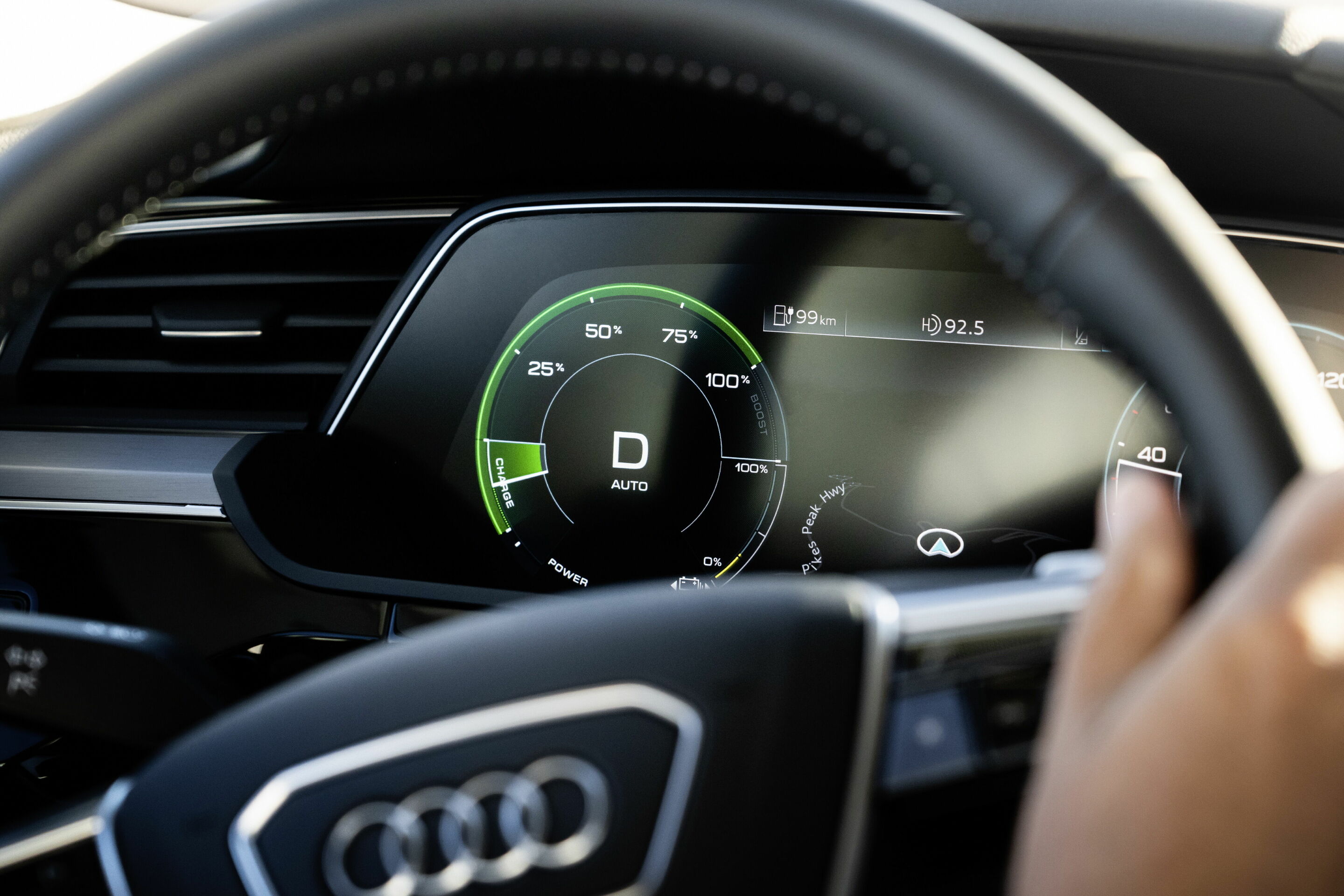
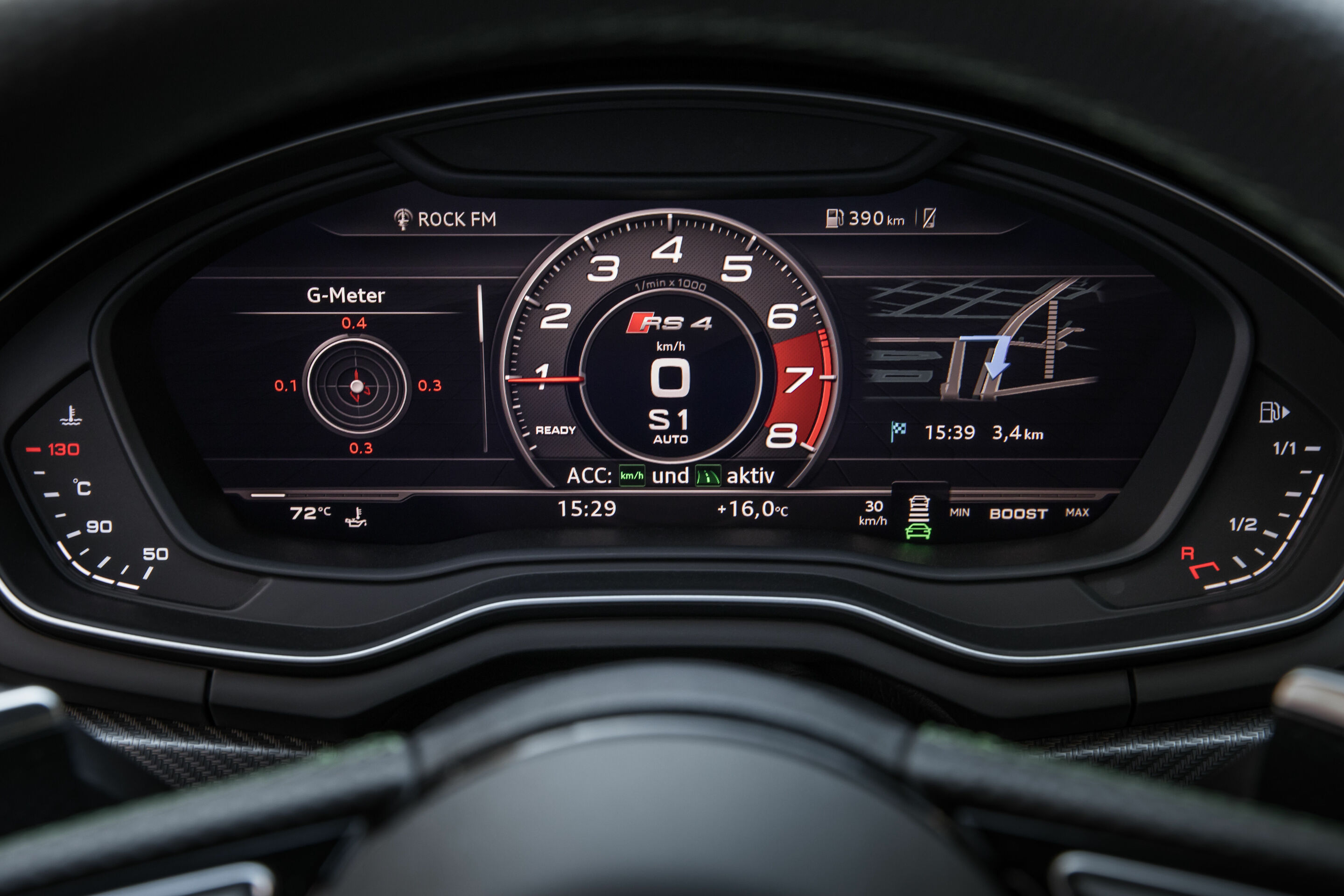
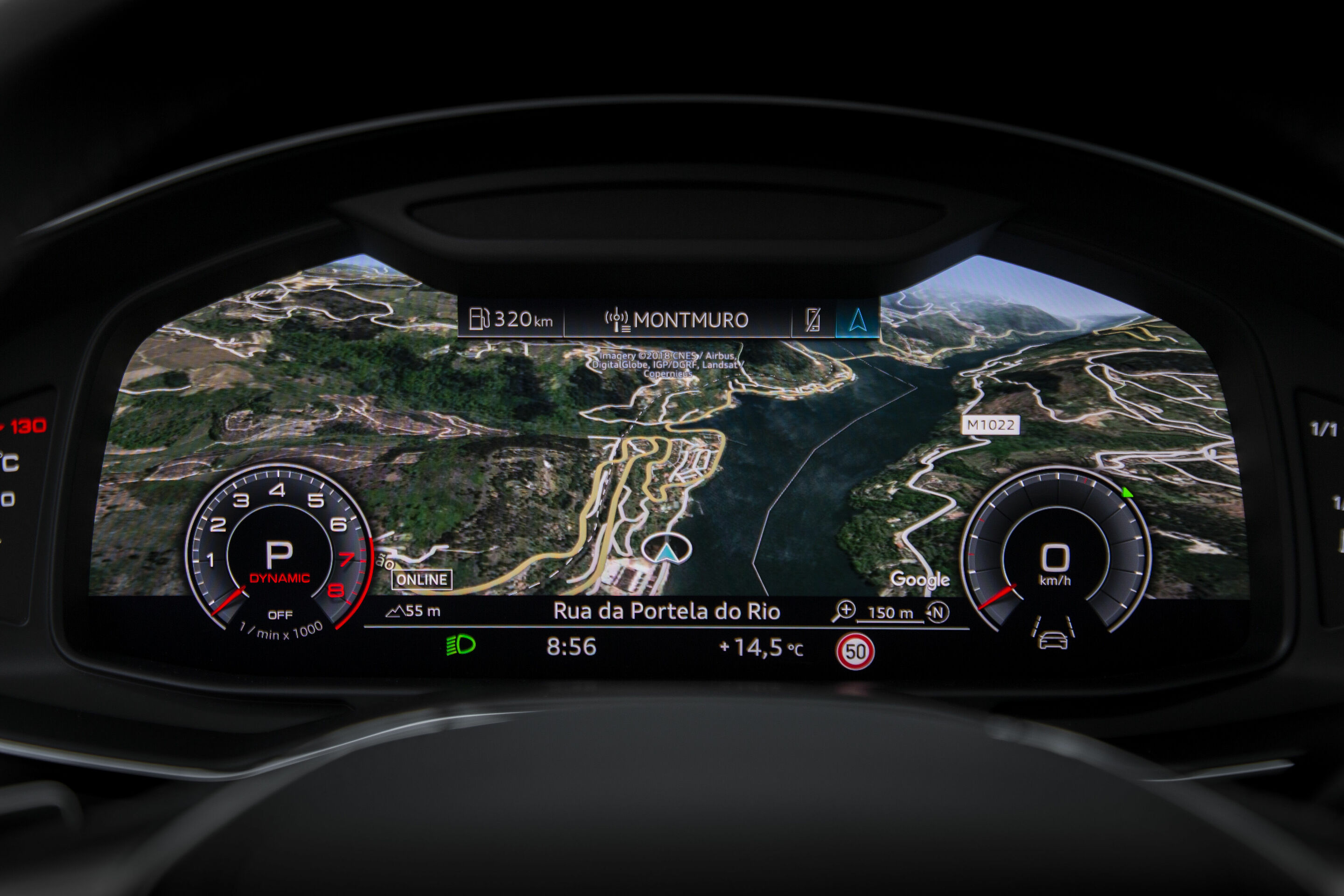
The Audi virtual cockpit or Audi virtual cockpit plus* (10.25- or 12.3-inch Full HD display with a resolution of 1,920 x 720 pixels or 11.9 inches with OLED technology*) is a fully digital instrument cluster that provides an overview of vehicle information and functions with the help of highly detailed displays. This includes (1) classic vehicle information such as speed and engine rpm, (2*) details on driver assistance systems such as the car proximity warning system, intersection assist, side assist, detection of other road users, navigation, and traffic light information, and (3) various phone, radio, and audio infotainment options. In electric models, the Audi virtual cockpit also displays all important parameters for electric driving, including charging capacity, regenerative braking, and range. The Audi virtual cockpit can be operated using the View button on the multifunction steering wheel. Along with the familiar instrument display in “Classic” and “Sport” design, the Infotainment mode creates space for clear graphics from the onboard computer and MMI content. All display variants have fixed displays at the bottom for outside temperature, time, mileage, and warning and information symbols.
Depending on the model, the 12.3-inch TFT screen has a resolution of 1,440 x 540 pixels or a Full HD resolution of 1,920 x 720 pixels.
* Depending on the model and equipment
Augmented reality head-up display
The augmented reality head-up display in the Q4 e-tron and Q4 Sportback e-tron projects important information onto the windshield in two separate layers – the status layer and the augmented reality (AR) layer. The information from some assistance systems, the turn arrows from the navigation system, and your starting point and destination are displayed dynamically in the AR area, superimposed on the external world at the correct location. They appear to hover virtually at a distance of about ten meters from the driver, and in some situations they may appear to be much further ahead. The field of view for the AR content corresponds to a diagonal of around 70 inches. Below that is a flat, close-range window, the so-called status area for speed, traffic signs, and assistance and navigation symbols. They appear to hover about three meters in front of the driver.
The technical centerpiece of the augmented reality head-up display is the Picture Generation Unit (PGU), which is located deep inside the long instrument panel. A particularly bright LCD display sends the light beams generated by the PGU onto two level mirrors, while special optics separate the portions for the near and far range. The level mirrors direct the beams onto a large concave mirror with electric adjustment. From there, they reach the windshield, which reflects them into the so-called eyebox, aligning them with the driver’s eyes. At an apparent distance of ten meters (or even more depending on the situation), the driver sees the symbols just as clearly as the real environment. On the software side, the AR Creator serves as the image generator – a computing unit in the modular infotainment platform (MIB 3), which is made up of several individual modules. The AR Creator renders the display symbols at a rate of 60 frames per second and adjusts them to the geometry of the projection optics. At the same time, it calculates their position relative to the surroundings – using raw data from the front camera, radar sensor, and GPS navigation. Its software comprises several hundred thousand lines of programming code, around 50 percent more than the entire control system of the first version of the Space Shuttle.
Second-generation augmented reality head-up display
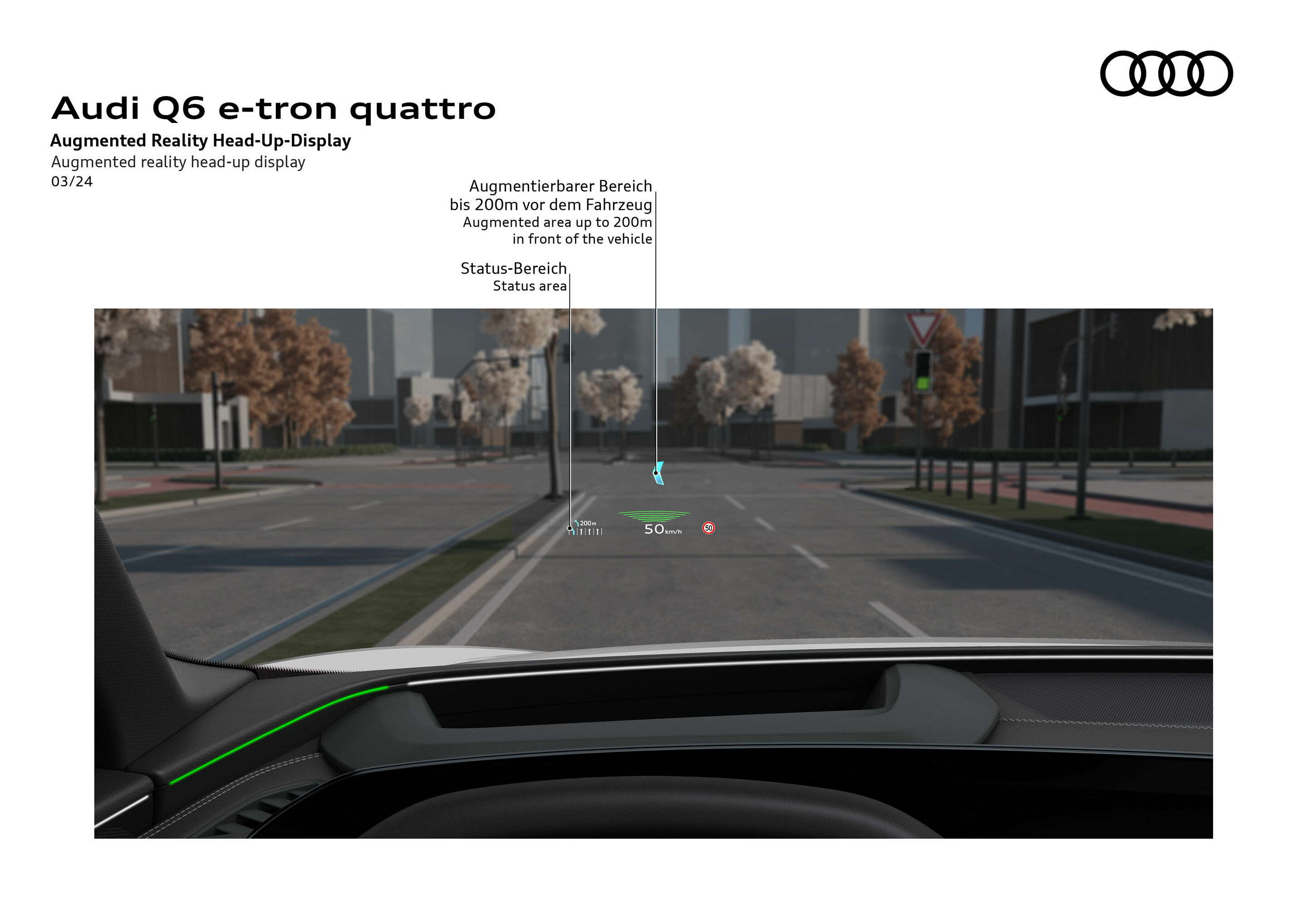
The second-generation augmented reality head-up display reflects a large, angled image plane onto the windshield for the driver and displays relevant information such as speed, traffic signs, and assistance and navigation symbols. The image plane is angled forward to enhance the augmented reality impression. The focus of the human eye moves with it. This process and the great virtual image distance create the impression that the elements shown are hovering up to 200 meters away. Virtual content is thus seamlessly integrated into reality. The information displayed can be quickly understood without confusing or distracting the driver. From the driver’s perspective, the field of view for AR content spans a diagonal of approximately 88 inches.
Bang & Olufsen sound system with 3D sound
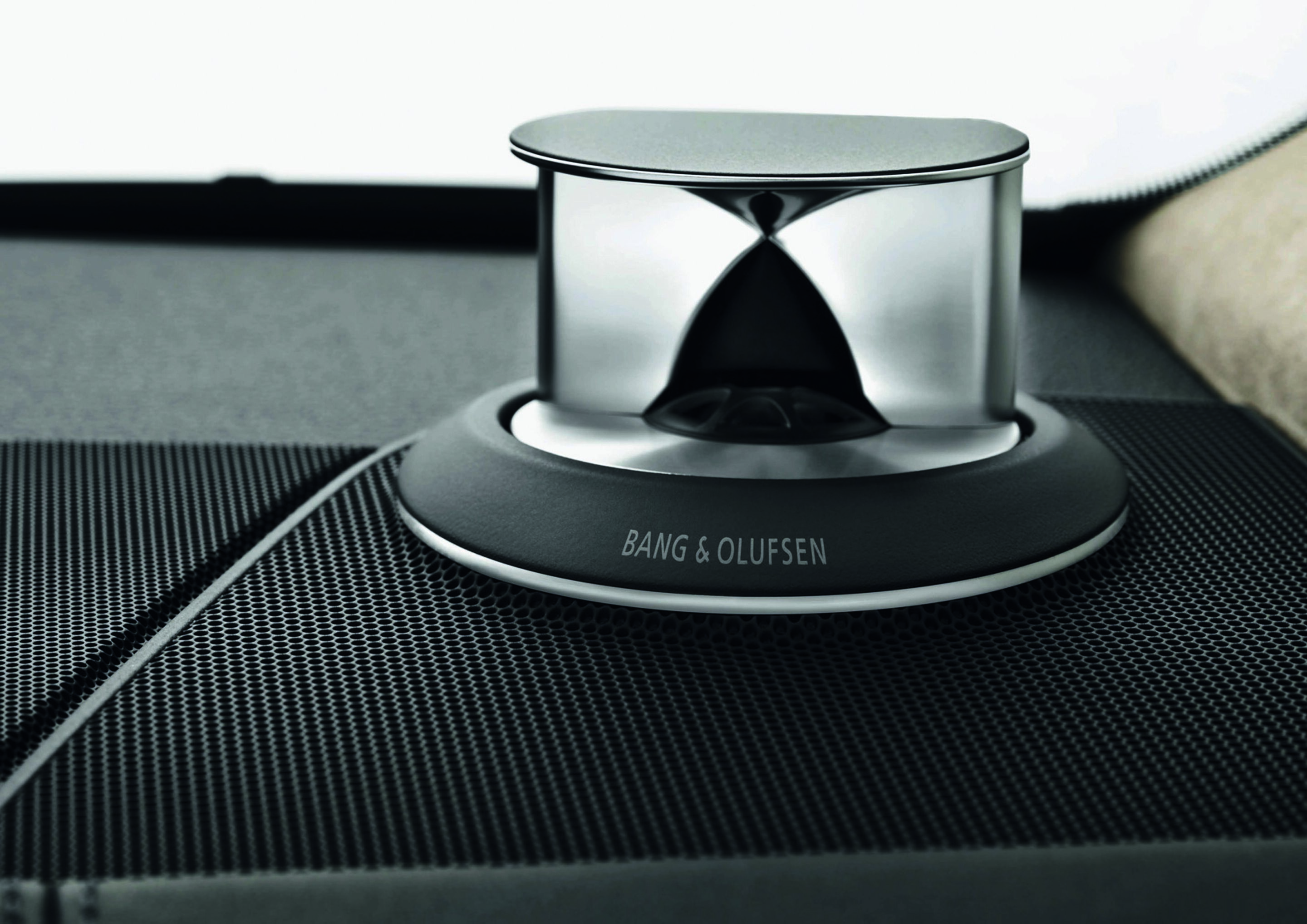
The Bang & Olufsen sound system with 3D sound offers a fascinating feature for hi-fi fans: sound that reproduces the spatial dimension of height. It uses several additional speakers to achieve this. The interior becomes a large stage on which the music unfolds exactly as it was recorded in the hall – without any artificial effects. Behind this technology is an algorithm that Audi developed together with the Fraunhofer Institute in Erlangen, Germany.
In its premium configuration, the sound is reproduced by 16 or 17 speakers, depending on the model, including 3D sound speakers, center speakers, and subwoofers. The 3D sound delivers impressive spatial sound reproduction for the front seats. This sound feature is generated by additional speakers in the A-pillar, the mid-range speakers, and Fraunhofer Symphoria technology. This creates an authentic 3D surround sound experience in the vehicle and gives passengers the feeling of sitting in the front row of a concert hall.
The Advanced upgrade offers a further enhancement: here, a total of 19 to 23 speakers (depending on the model) in the front and rear deliver an extraordinary sound experience. Exclusive aluminum covers create striking accents in the interior, making the system’s technical brilliance visually apparent as well. The center speakers, along with two motorized tweeters featuring Bang & Olufsen’s Acoustic Lens Technology, rise from the instrument panel to disperse sound evenly, delivering exceptionally detailed acoustics to every seat. Each speaker (including center speaker and subwoofer) is equipped with its own dedicated power amplifier. Additional full-range speakers in the A-pillar and rear headliner, as well as mid-range speakers, make the sound even richer.
Passenger display
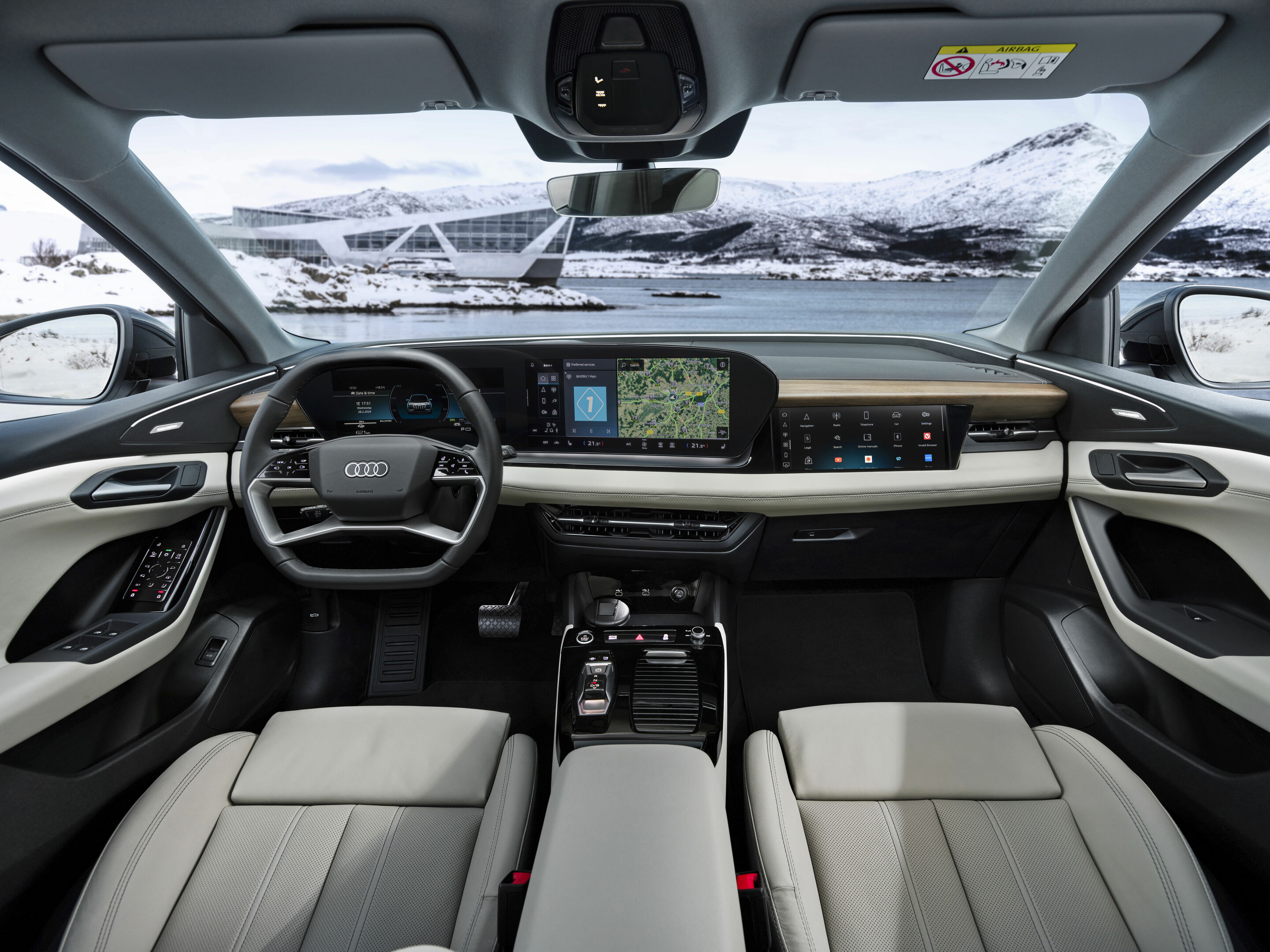
In some models, such as the A5, Q5, A6, and Q6 e-tron, Audi has added a 10.9-inch MMI passenger display to the dashboard area for front passengers. This display is integrated into the dashboard design and is being used for the first time in the premium mid-range segment at Audi. The display has a simplified layout with eight large tiles and a list on the left with various functions, such as quick access. Thanks to active privacy mode, the front passenger can enjoy entertainment while the vehicle is moving, such as watching movies or streaming TV shows, without distracting the driver. Depending on the content, current speed, and seat occupancy, the light is either focused (privacy mode on) or dispersed (content visible to all) by an intelligent switching mechanism. In addition to infotainment applications, the display also offers the option of assisting the driver with navigation tasks and finding a parking space, for example. If the passenger display is not in use or if no passenger is detected, a digital background image will be displayed.
Car-to-X
Car-to-X services utilize the swarm intelligence of the Audi fleet, in which hundreds of thousands of cars worldwide collect information. They transmit the data via the mobile network to a server, which processes it and makes it available to fleet members in a customized format. In addition to online traffic sign information, hazard alerts, and on-street parking, the portfolio also includes the traffic light information service.
For traffic sign information, the onboard camera analyzes speed limits. The information is integrated into navigation map updates. Systems like efficiency assist use the information for predictive, efficient cruise control. With the hazard alert service, cars warn each other about accident sites, broken-down vehicles, slippery roads, and obstructed visibility. To do this, several parameters are evaluated, such as electronic stabilization control (ESC) activity, data from rain and light sensors, headlights and windshield wipers, emergency calls, and airbag deployment.
The on-street parking service provides detailed parking information. Vehicles equipped with Car-to-X technology report their parking maneuvers and exiting of parking spaces, as well as free parking spots detected by their onboard sensors, to the server in the cloud. This information from the swarm greatly facilitates the search for a free parking space.
In some cities around the world, another Car-to-X service is already in use and is being gradually expanded: traffic light information. The car receives data from the traffic computer that controls a city’s traffic lights, allowing it to select the appropriate speed to approach a traffic light during its next green phase. If the vehicle reaches a traffic light when it is red, a countdown in the instrument cluster shows the seconds until the next green; drivers can therefore take their foot off the gas early or see how long it will be until the light turns green. The system helps promote a proactive, efficient driving style and supports a smooth, continuous flow of traffic.
ChatGPT
Digital key
The digital key allows compatible devices to lock and unlock car doors and start the engine. Up to five digital keys can be conveniently assigned and given different authorizations. Modern encryption and transmission technologies in the vehicle and on the mobile device ensure a high level of security. The smartphone’s digital key provides all the functions of the familiar convenience key and frees the driver from having to carry around any objects in addition to their smartphone. Each digital key can be used on at least two devices. It works similarly to the convenience key: with the support of digital keys in the Apple Wallet, compatible vehicles can be locked, unlocked, and started when someone has their iPhone or Apple Watch in close proximity to the vehicle. The digital key remains active for up to five hours, even when the iPhone’s battery is dead.
Once set up, the digital key is stored on the secure element – a tamperproof hardware element on the mobile device. The smartphone then communicates with the corresponding antennas in the vehicle via ultra-wideband (UWB), Bluetooth Low Energy (BLE), or Near Field Communication (NFC). The driver authorization system recognizes the smartphone when it is in the immediate vicinity or inside the vehicle. Neither the phone nor the vehicle needs to be online to open, start, or lock the car.
e-tron route planner
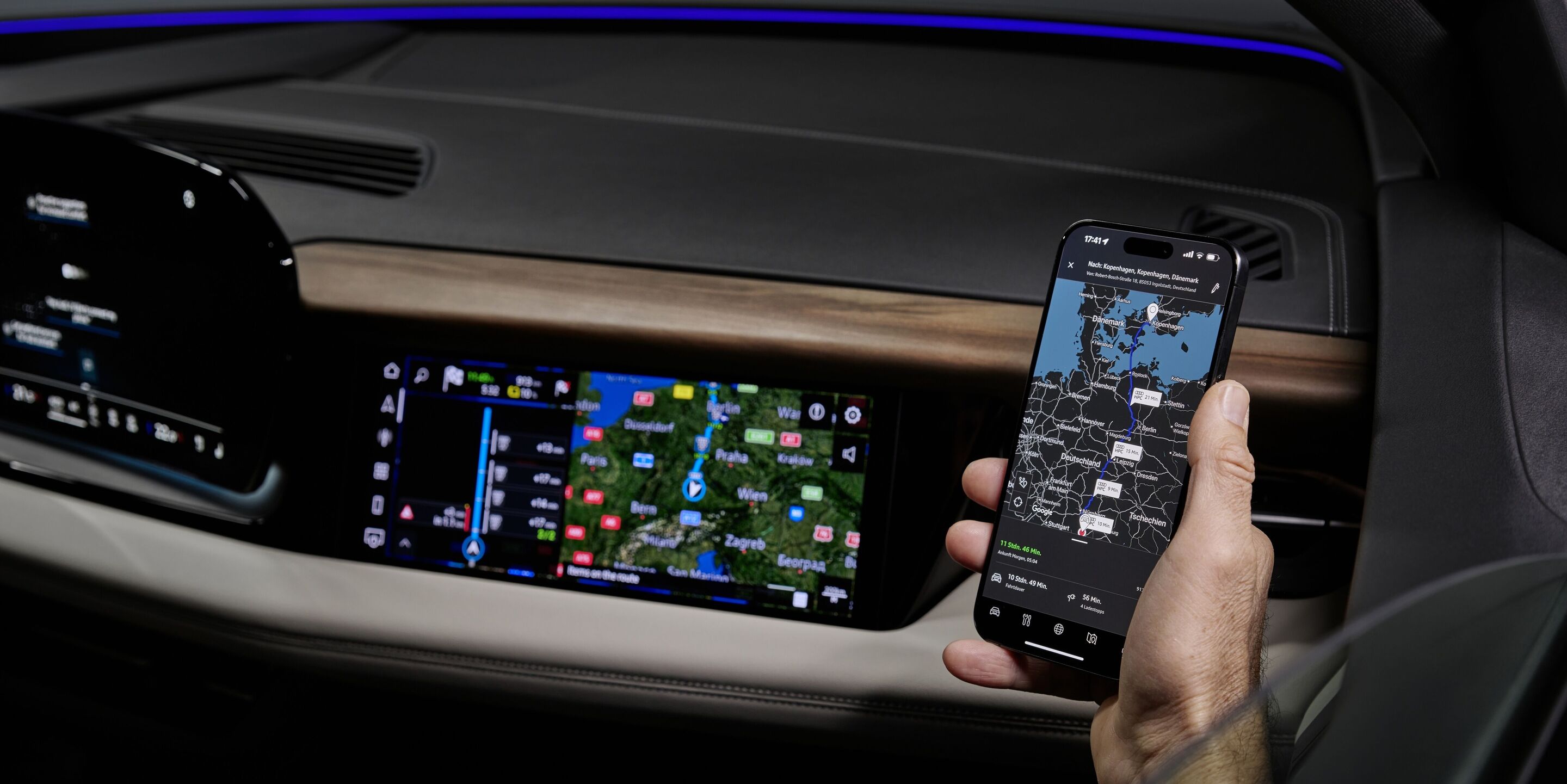
The e-tron route planner is an intelligent travel planner for fully electric vehicles. It prioritizes high-performance HPC (High Power Charging) stations for ultra-fast charging. If the suggested route is followed, the system activates battery preconditioning while driving – before the vehicle reaches the selected and saved charging station. If an HPC charging station has been selected as the destination, battery thermal conditioning is activated so that the battery can be charged as quickly as possible at the station. For the first time, the battery in the Audi Q4 e-tron series undergoes post-conditioning. The vehicle’s thermal management system continues to cool the battery if it exceeds a defined temperature threshold after driving or charging.
In addition to just the right amount of preconditioning, the e-tron route planner also provides up-to-date information about the charging stations (number, capacity, occupancy, operator, technical availability, and payment options). It also enables the dynamic and automatic planning of charging stops along the route based on a variety of parameters including route topography, traffic conditions, individual driving style, and personal settings such as the minimum state of charge (SoC) at the start of charging and maximum SoC at the end of charging. Thanks to the many options, charging becomes a stress-free routine.
During an active charging session, the myAudi app displays the current battery charge level (state of charge) and remaining charging time in parallel with the in-car display. If desired, customers can receive a push notification on their smartphone as soon as they can continue their trip.
The Audi e-tron route planner originated in the modular infotainment platform of the MIB 2+ generation for fully electric models. Since 2020, the third generation of the modular infotainment platform (MIB 3), with ten times the computing power, has offered the e-tron route planner with enhanced functionality.
Free text search / Audi MMI search
Head-up display
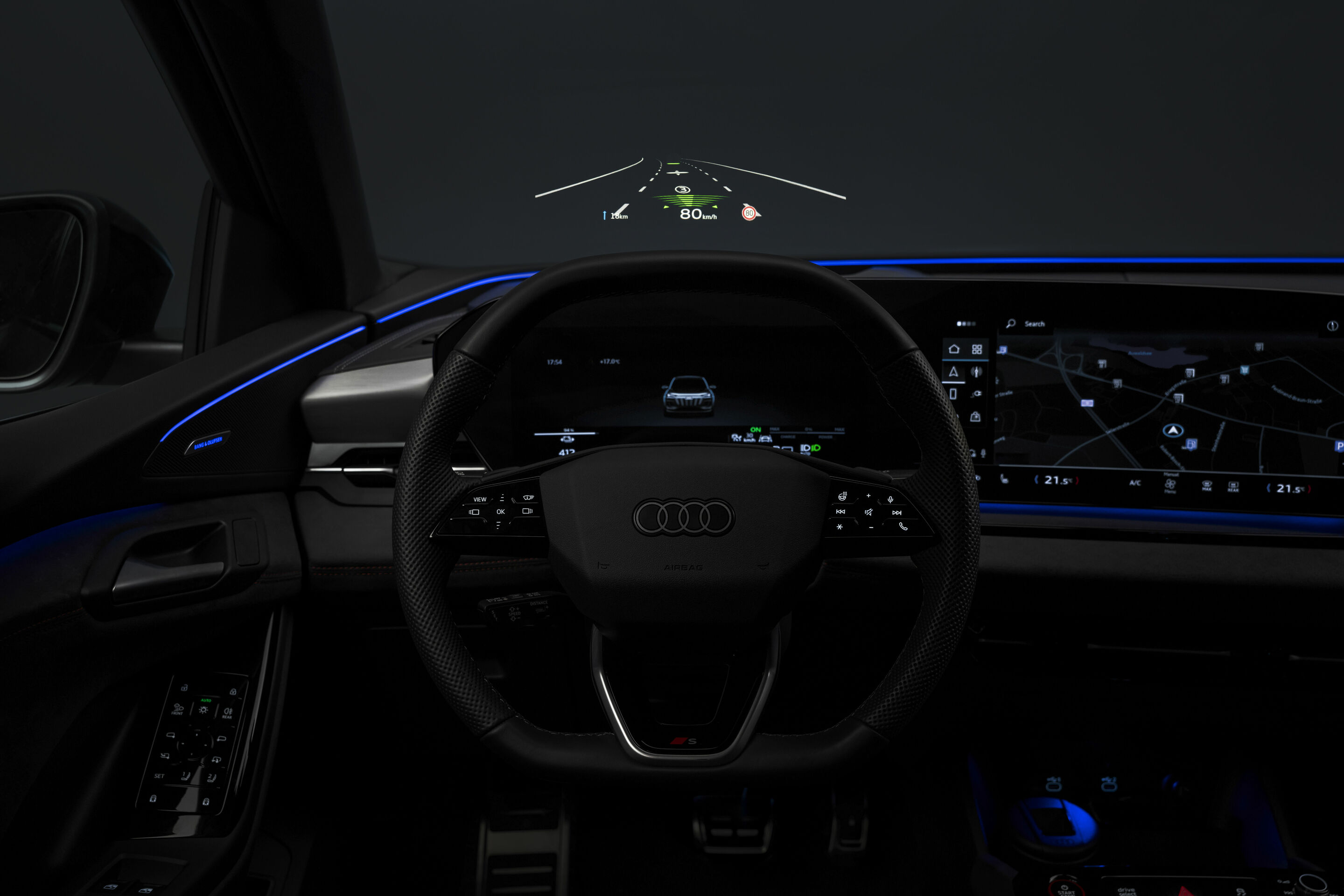
The head-up display projects information relevant to the driver in their direct field of vision as symbols and numbers that can be grasped quickly. The information includes vehicle status, navigation and warning messages, and data from assistance systems. The driver can register it extremely quickly – their eyes are accustomed to distant vision and do not have to adjust.
Audi offers two different systems. The augmented reality head-up display shows information such as navigation turn arrows virtually and sometimes dynamically in the driver’s field of vision on the windshield by projecting an image onto it. The information displayed provides greater comfort and safety, especially when visibility is poor. The information appears to hover in a 220 x 80-millimeter window about two meters in front of the driver. The color image is generated by a TFT (thin film transistor) screen, which is backlit by a white LED. Two aspheric mirrors enlarge and redirect the image. In the process, they compensate for distortions resulting from the geometry of the windshield. Drivers can use the Audi MMI to specify what information the display should show, and they can also adjust the height and brightness of the display.
In some models, the head-up display projects the symbols and figures onto a separate glass panel. When the system is started, the 100 x 50-millimeter panel extends electrically upward from the instrument panel behind the instrument cluster. The image window can be adjusted in height to match the driver’s seating position. The MMI lets the driver select the information to be displayed, such as navigation symbols or information about assistance systems.
HERE navigation
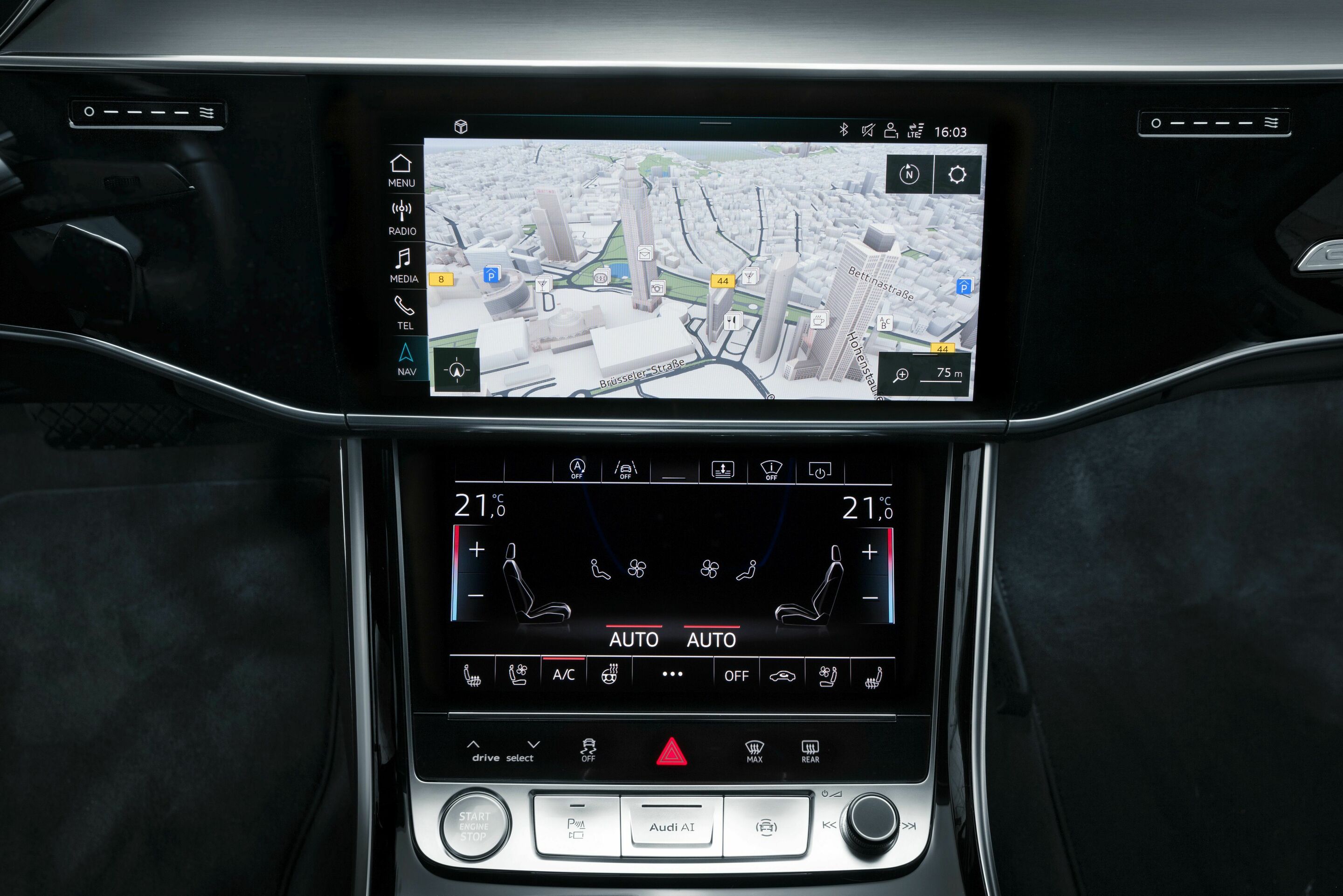
HERE Technologies, a leading global developer and provider of high-resolution digital navigation maps and location-based services, was acquired from Nokia Corporation in 2015 by a consortium of BMW Group, Daimler AG, and AUDI AG. Its central project is the HERE HD Live Map, which forms the digital foundation for the piloted driving of the future. The data platform represents the traffic environment as a three-dimensional model – accurate to the centimeter rather than the meter, and dynamic rather than static.
The HERE HD Live Map has three layers. The first layer, HD Map, contains a digital image of the surroundings. Guard rails, road signs, curbs, and similar fixed objects form reference points that the self-driving vehicles of the future can use for precise navigation. There is also a database with information on hotels, stores, and restaurants.
The second layer of the HERE HD Live Map is Live Roads – a dynamic layer that provides up-to-date information in real time about things like construction sites, accidents, rescue operations, and black ice. The content for this comes primarily from the sensors of participating cars. The intelligent swarm continuously generates up-to-date information about traffic conditions, such as green waves – a synchronized sequence of green lights – in urban traffic, changing speed limits, and available parking spaces.
The third layer is referred to as the Humanized Driving domain. Future piloted vehicles will draw from the HERE data pool to learn how a person acted in a similar situation in the past. This allows them to adapt their behavior to individual preferences.
The HERE HD Live Map consists of tiles, each measuring two kilometers per side – allowing the immense volume of data to be divided into manageable portions. The data is hosted on a HERE backend. Transfer to and from the vehicles takes place via the mobile network. The LTE standard already enables many possibilities, while future solutions promise even higher data rates and faster connections.
For customers, the map makes complex driver assistance functions – such as traffic jam assist and efficiency assist – even more precise and effective. HERE continuously expands its IT expertise network.
Inductive charging tray
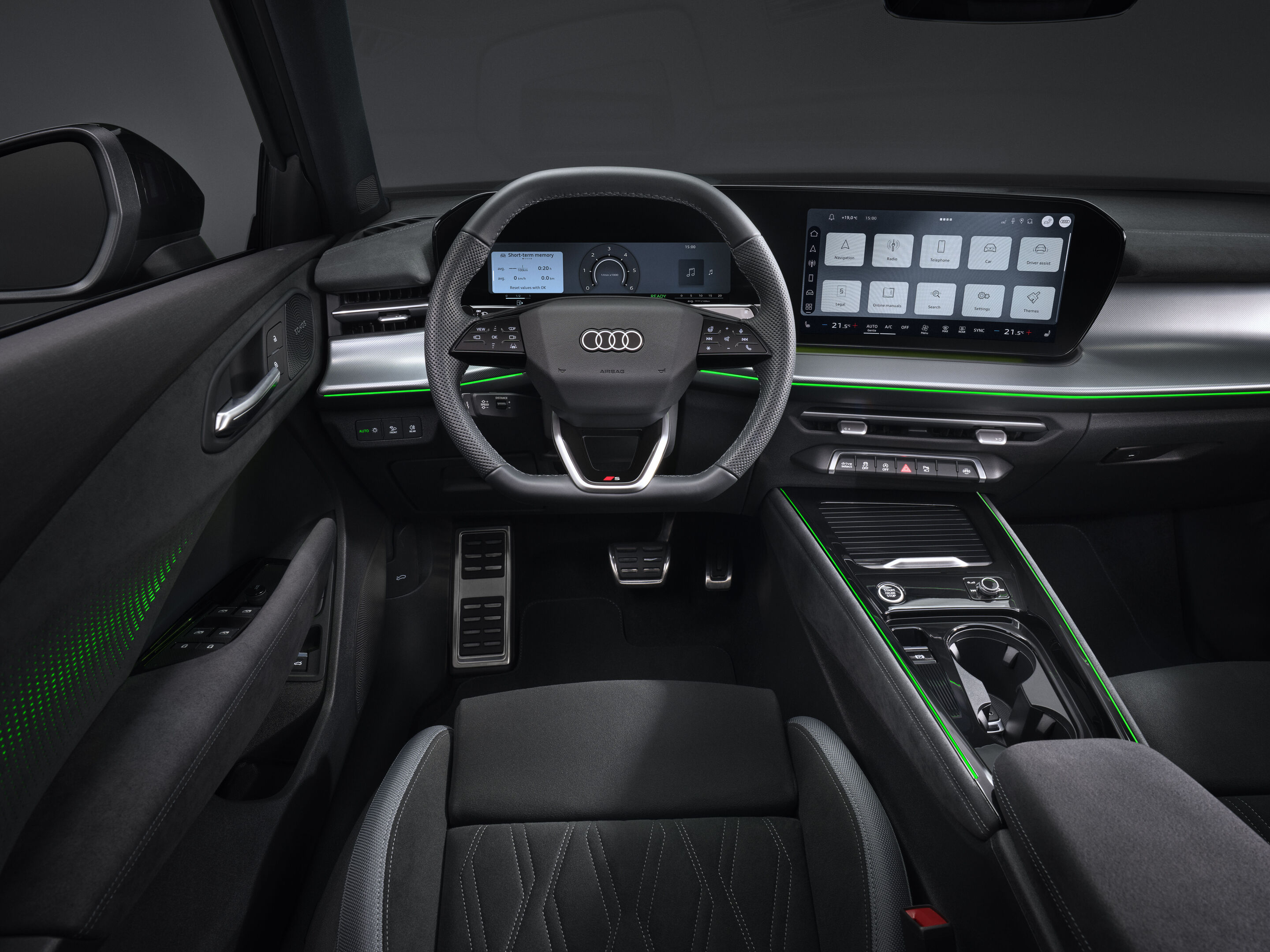
MMI touch response
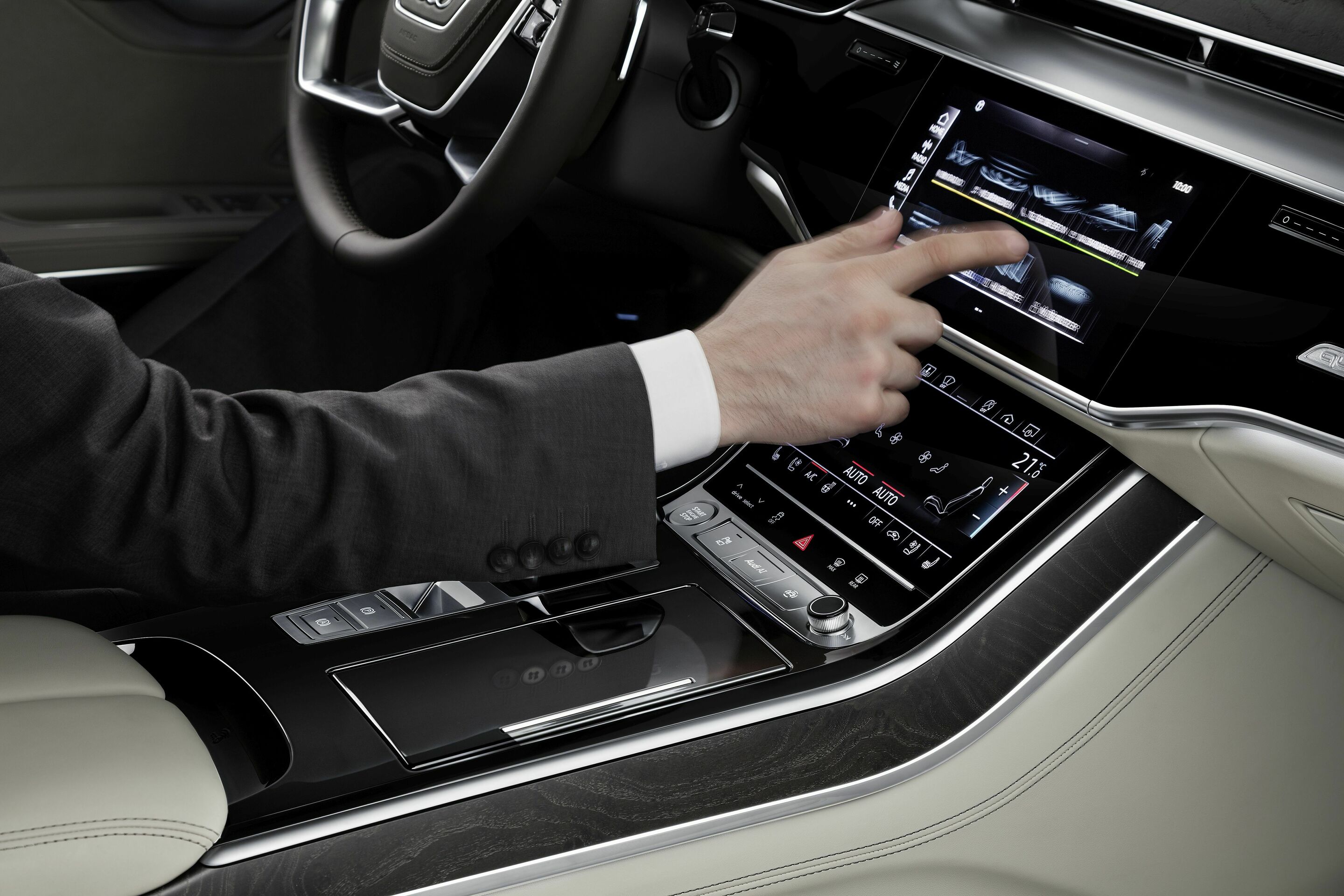
The MMI touch response operating system, with its two large high-resolution displays, replaces almost all conventional switches and controls.
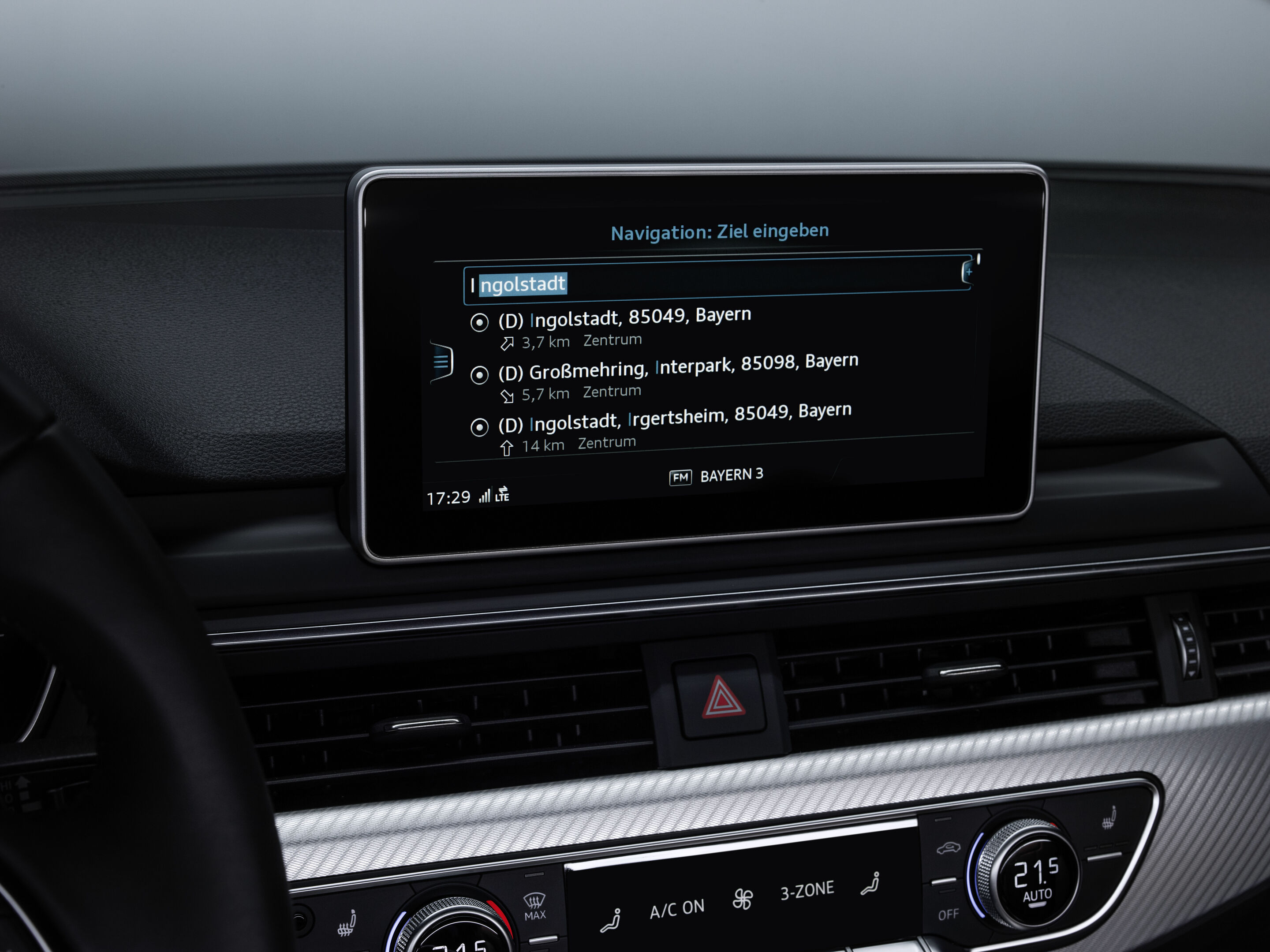
At the heart of the MMI touch response is a 10.1-inch touch display with black panel technology, which blends almost invisibly into the high-gloss black trim of the instrument panel when inactive. With a resolution of 1,540 x 720 pixels, the TFT screen delivers very sharp images and high contrast – even from oblique viewing angles. The large display is used to control navigation, media, and vehicle functions by tapping, swiping, zooming, and scrolling. Its menu structure, including search functions, is as intuitive as that of a smartphone.
The key strength of MMI touch response technology is its haptic feedback: when a finger touches the glass surface, it does not immediately trigger a function – the user must press lightly to confirm. The mechanical impulse that confirms the input is generated when an electromagnet shifts the spring-mounted display slightly to the side – about the width of a human hair.
When a function is triggered, the user receives both an acoustic and a visual signal: a small speaker plays a click sound, and the selection lights up briefly. Similar to a smartphone, many icons have long-touch and long-push functions. For example, a tile can be repositioned.
A second display on the center tunnel console is used to manage climate control and comfort features. Customers can save their preferred functions as favorites there. The display measures 8.6 inches diagonally and offers a resolution of 1,280 x 660 pixels. Operation is comfortable: the user can rest their wrist on the gear selector. Text can also be entered – either via a digital keyboard (when the vehicle is stationary) or with the innovative handwriting recognition that even recognizes entire words in cursive or letters written on top of each other. Each letter the system identifies triggers an acoustic feedback signal, allowing the driver to keep their eyes on the road at all times.
The surface of both displays features an anti-fingerprint coating, making fingerprints easy to wipe off. An anti-glare layer is also applied to refract reflected light. This blurs reflections and prevents them from distracting the driver. The top layer is hardened, making it very robust and extremely scratch-resistant.
Modular infotainment platform (MIB 3)
The modular infotainment platform is the technical backbone for onboard infotainment via the MMI. Audi has used the modular infotainment platform since 2012 and continues to develop it. The latest models use it in its third generation, known as MIB 3. Its computing power is ten times higher than that of its predecessor, MIB 2. MIB 3 works together with the Online Connectivity Unit (OCU), which features an integrated eSIM and a Wi-Fi module for the vehicle occupants’ mobile devices. The OCU handles all connectivity tasks, such as fast data transfer.
Since summer 2023, Audi has been offering an app store in selected models equipped with the third-generation modular infotainment platform (MIB 3). By embedding the store, which was developed in collaboration with the Volkswagen software unit CARIAD and its partner Harman Ignite, customers can directly and intuitively access popular third-party apps via the Multi Media Interface (MMI) using the vehicle’s data connection. These include applications from the categories Music, Videos, Gaming, Navigation, Parking & Charging, Productivity, Weather, and News Services. The selected apps are installed directly in the Audi MMI system – without having to go through a smartphone. Regular software updates and an ever-expanding range of options allow for greater customization of the infotainment system. The technical basis for this is an extension of the familiar MIB 3 with an additional electronic component: a dedicated hardware module, roughly the size of a USB stick. The module is equipped with an open-source operating system that enables access to third-party apps in the vehicle. The store can be selected via a separate tile in the MMI. The additional apps are then seamlessly integrated into the MMI and can be used safely and reliably while driving. The app portfolio is market-specific.
A data connection is required to use the third-party apps; the connection is established via the embedded SIM – a SIM card permanently installed in the vehicle. In Europe, the mobile network costs are conveniently billed through a data volume plan from Cubic Telecom. The first 25 gigabytes are free of charge. Audi models of course continue to support Android Auto and Apple CarPlay via the optional “smartphone interface” feature.
myAudi app
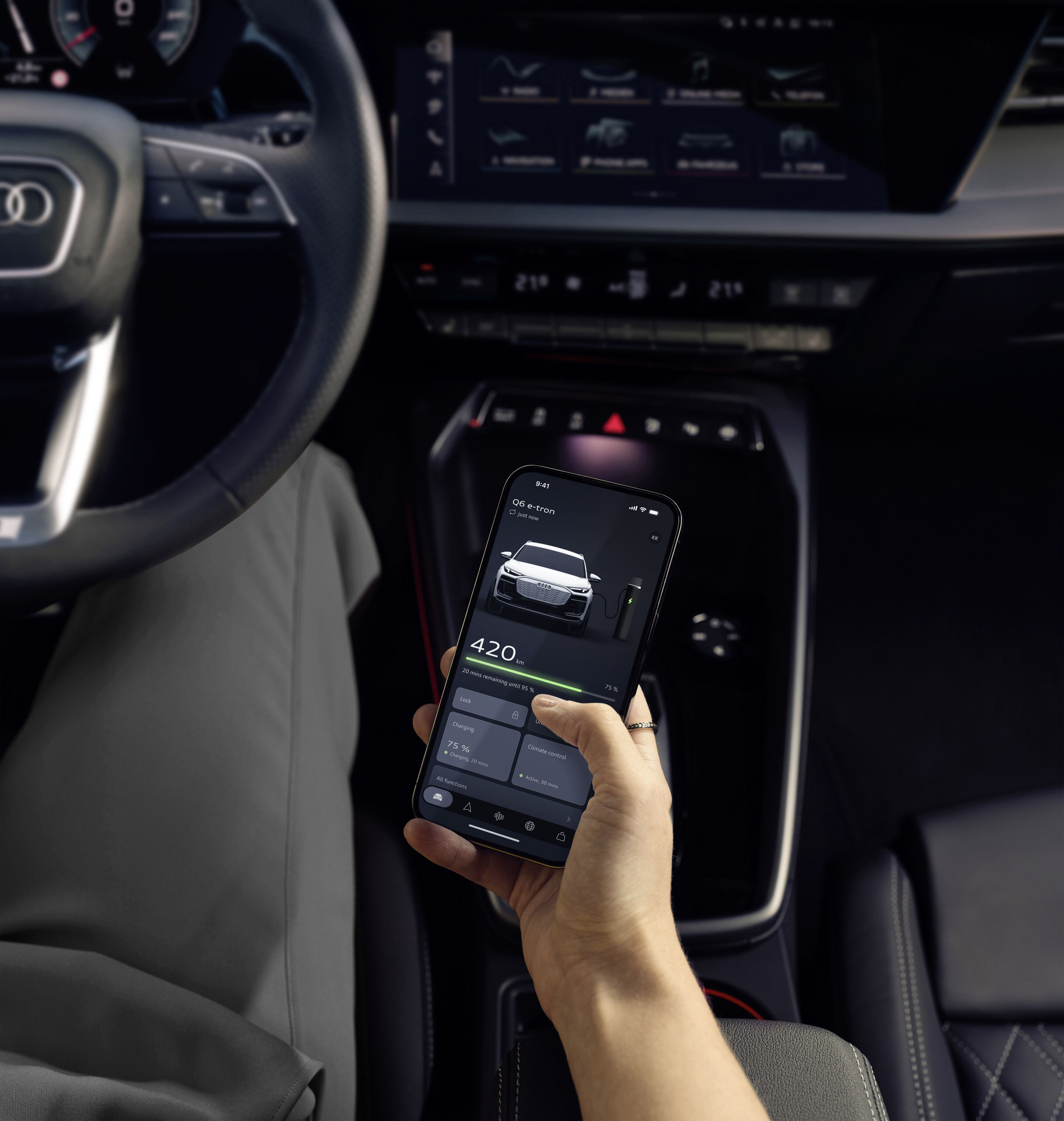
The myAudi app, which was first released at the end of 2017, combines the services of Audi connect on your smartphone, making your car fully connected. The numerous functions are divided into three areas at the top level: Vehicle, Navigation, and Menu.
In many models, the Information submenu – which includes profile management, status reports, and notifications – contains the Audi connect key. Social media and online news make up the Media section. The myAudi navigation feature in the Navigation menu is helpful in unfamiliar cities. For example, it can guide travelers from their hotel to their car, which may be parked a few streets away. In the car, route guidance switches from the smartphone to the onboard monitor. When travelers then get out of the car in the parking garage, the navigation system guides them to their final destination on their smartphone.
The vehicle services allow a number of settings to be made via smartphone, such as locking the doors and switching on the auxiliary heating. The e-tron models also feature charging and climate control management. Drivers can also select piloted parking. This means, for instance, they can get out of the car before reaching the parking lot or garage, and the car, controlled via smartphone, will drive the last few meters and maneuver into the parking space on its own.
Natural voice control
This voice control is designed as a natural language interface and thus understands freely formulated commands and search queries. To call a contact, all you need to say is something like “I want to call Peter Fischer.” The navigation system also responds to natural language inputs such as “Where can I get gas?” or “Where is the nearest Italian restaurant?” If necessary, the dialogue manager asks questions, allows corrections, offers options, and even accepts when you interrupt it. You can also dictate text messages – even without an online connection.
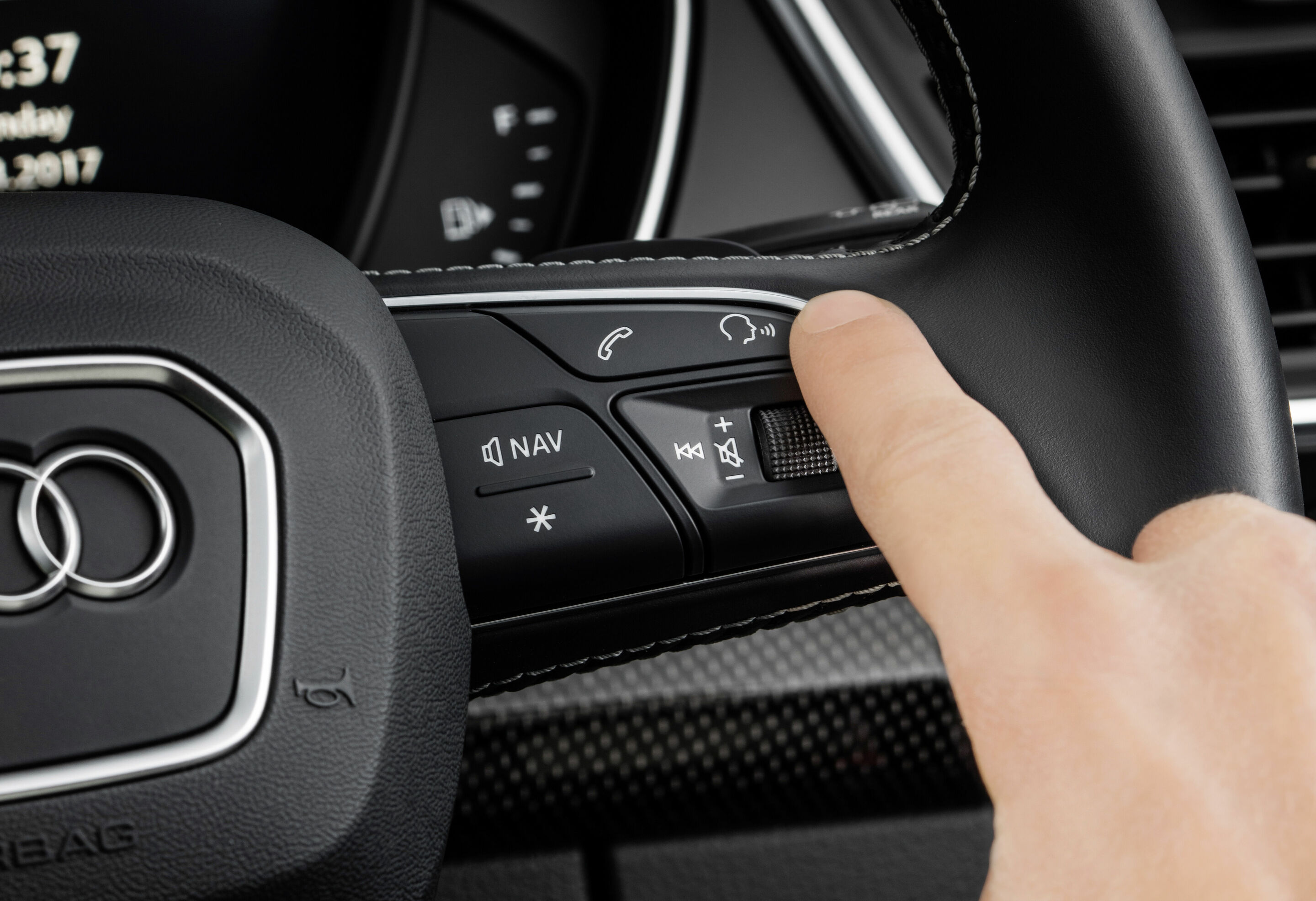
Voice control is activated via the voice dialogue button on the steering wheel. Using voice control, passengers can switch between menu areas and, for example, call a contact from the phone book and set it as a destination.
Amazon’s voice service Alexa has been integrated into Audi models since 2019. It can be used to check the news, weather, and live sports scores as well as place food orders and create to-do lists. Alexa streams music and audiobooks via Amazon Music and Audible and offers access to a wide range of Alexa Skills. This does not require an app on the smartphone, nor does the cell phone need to be paired with the car. All you need to do is connect the car to your Amazon account and then start the service using the onboard voice control.
Over-the-air updates
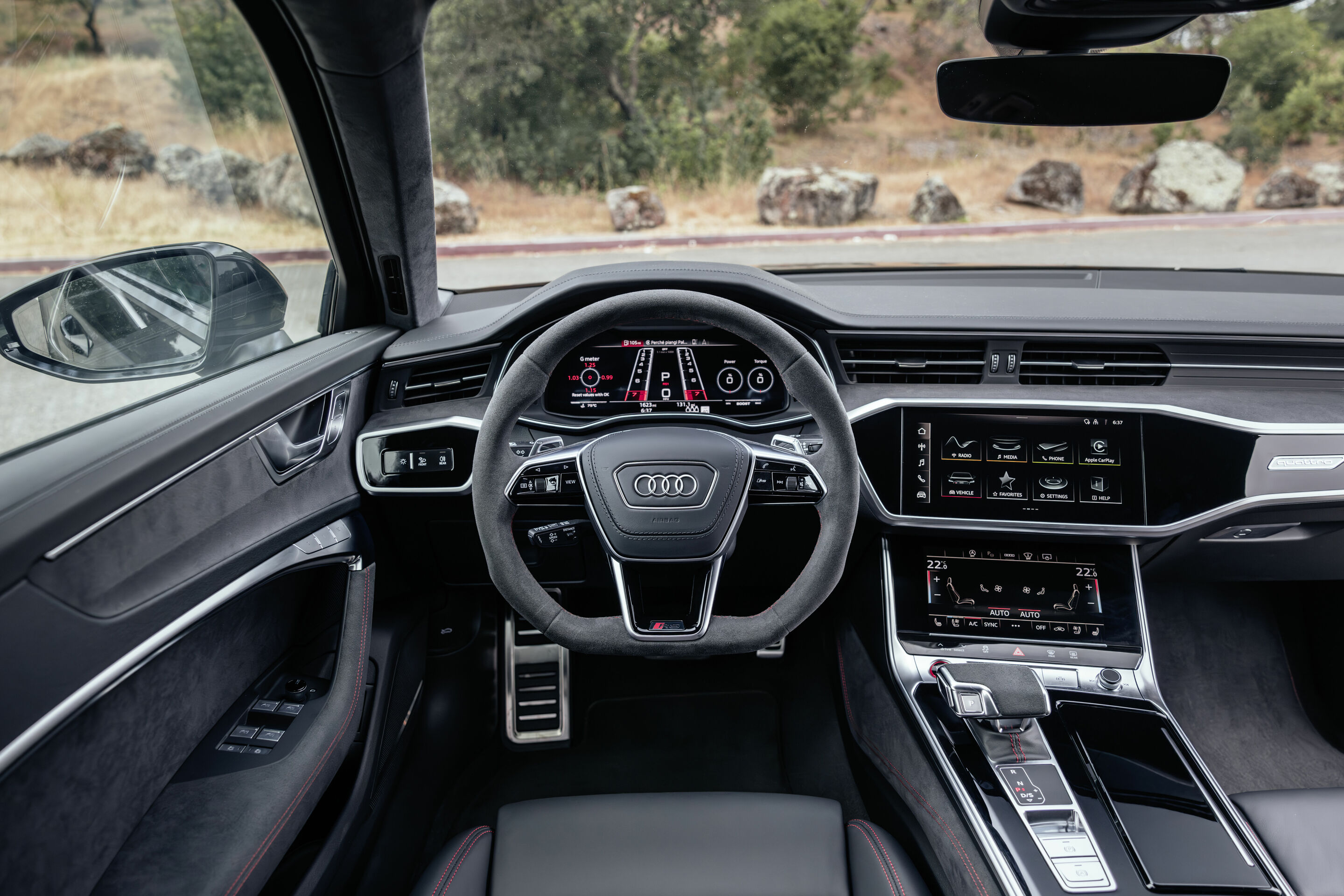
Personalization
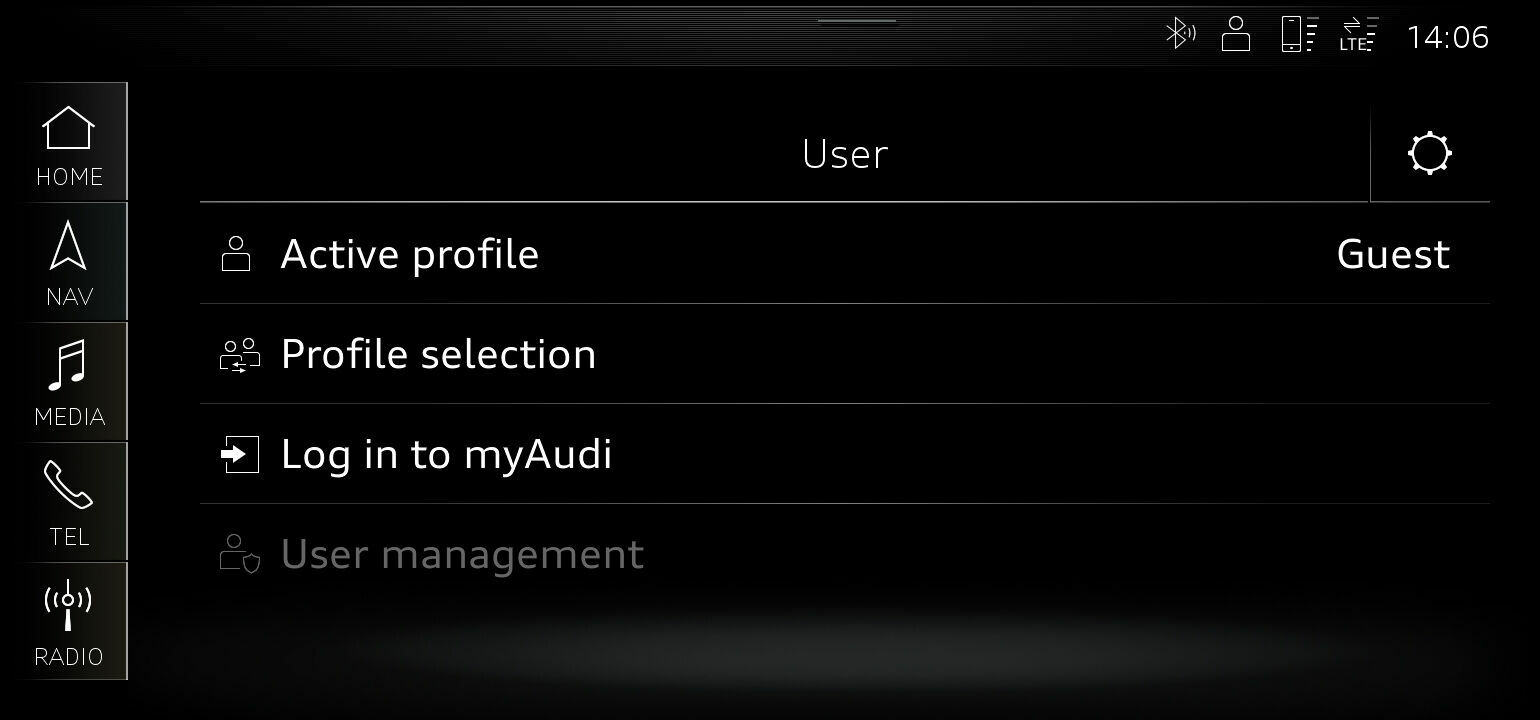
In many models, drivers have the option of saving their preferred settings in individual user profiles. You can personalize up to 400 parameters, from the seat position and climate control to frequently selected navigation destinations and frequently used media features. Display settings and most of the assistance systems can also be personalized.
Up to seven profiles can be created, making it convenient for multiple drivers. The vehicle recognizes the driver in question as soon as they unlock the car – based on the signal from their remote control key or Audi connect key – greets them by name in the Audi virtual cockpit and activates the appropriate profile. Drivers can create multiple profiles for themselves, such as weekday/weekend or highway/country road profiles. They can switch between these profiles while driving.
Rear seat remote
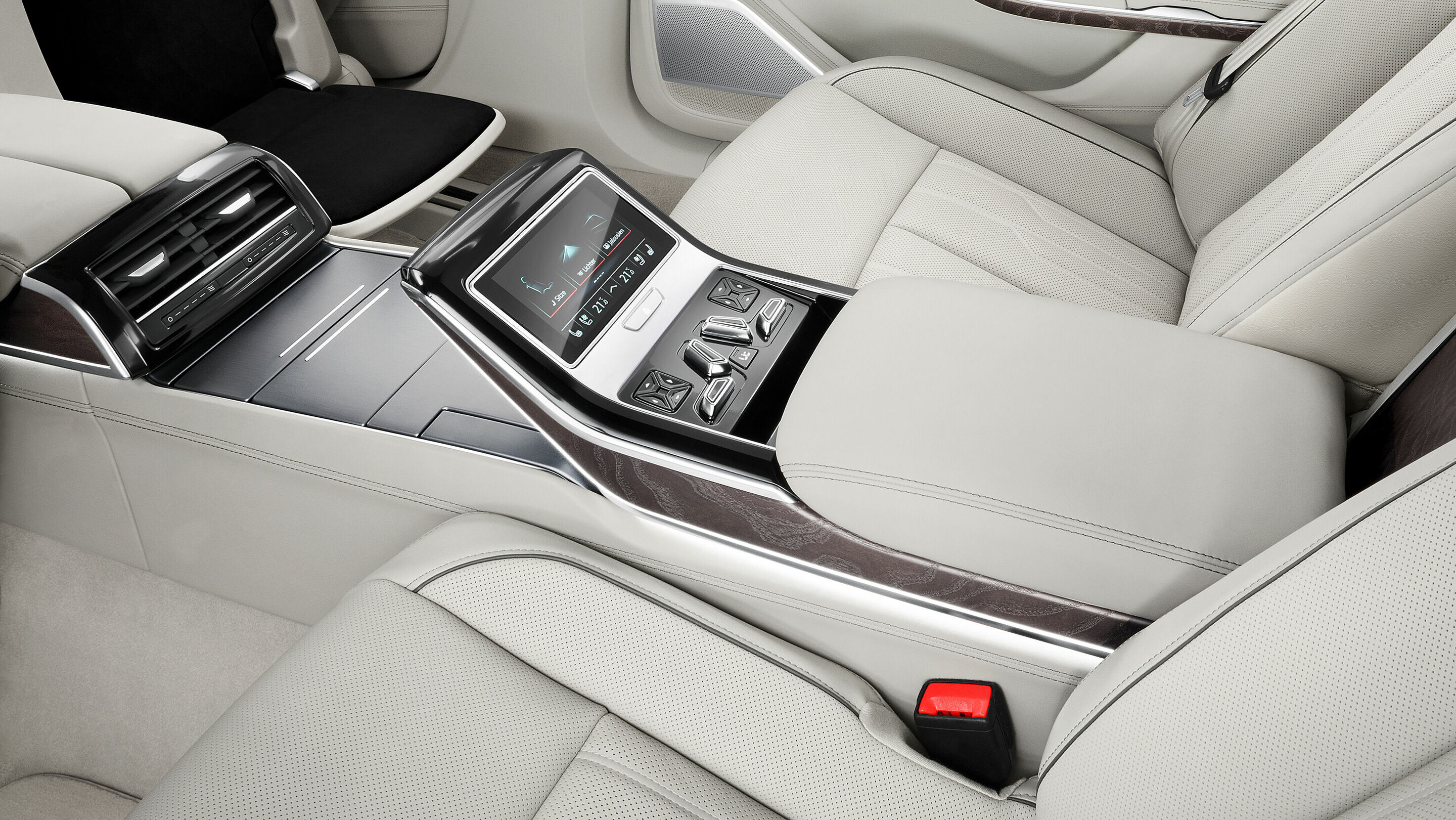
The rear seat remote in the A8 and A8 L lets passengers control comfort and infotainment functions from the back seat. The control unit is similar in size to a smartphone. Its touch surface can be used to operate numerous climate, seat, lighting, setting, and media functions – such as HD matrix reading lights, seat and foot massage, rear window blinds, and music. If the corresponding Audi phone box is on board, rear seat remote also functions as a cell phone. It integrates a microphone and a small speaker. It can also remotely control the Audi tablet – which is particularly convenient when the tablet is attached to the back of the front seat. Onboard communications run via Wi-Fi in the 5 GHz band.
Rear seat remote has a 5.7-inch touch display with OLED technology and Full HD resolution (1,920 x 1,080 pixels). Depending on the model, rear seat remote is locked into place and charged in the center console or center armrest. Its battery allows for up to six hours of phone calls. Depending on the vehicle’s specification for the rear, the control unit comes as standard or as an option.
SONOS premium sound system
American hi-fi brand SONOS, a trendsetter in the high-end home audio sector, is the exclusive partner supplying the premium sound system with 3D sound for Audi’s compact models.
Thanks to the ten harmoniously tuned high-performance speakers including center speaker and subwoofer, music becomes an impressive experience. The Audi Sound Cube, a fully integrated software environment, combines the latest algorithms so that everyone in the car can enjoy a tailor-made sound experience. Fraunhofer’s Sonamic panorama algorithm technology creates a virtual surround sound that makes you feel as if you were standing on stage with the band. To further enhance this intense musical enjoyment, the sound booster increases the power of the internal amplifier to 580 watts. The brilliant reproduction of highs and lows along with the rich bass can be experienced in full intensity.
Virtual exterior mirrors
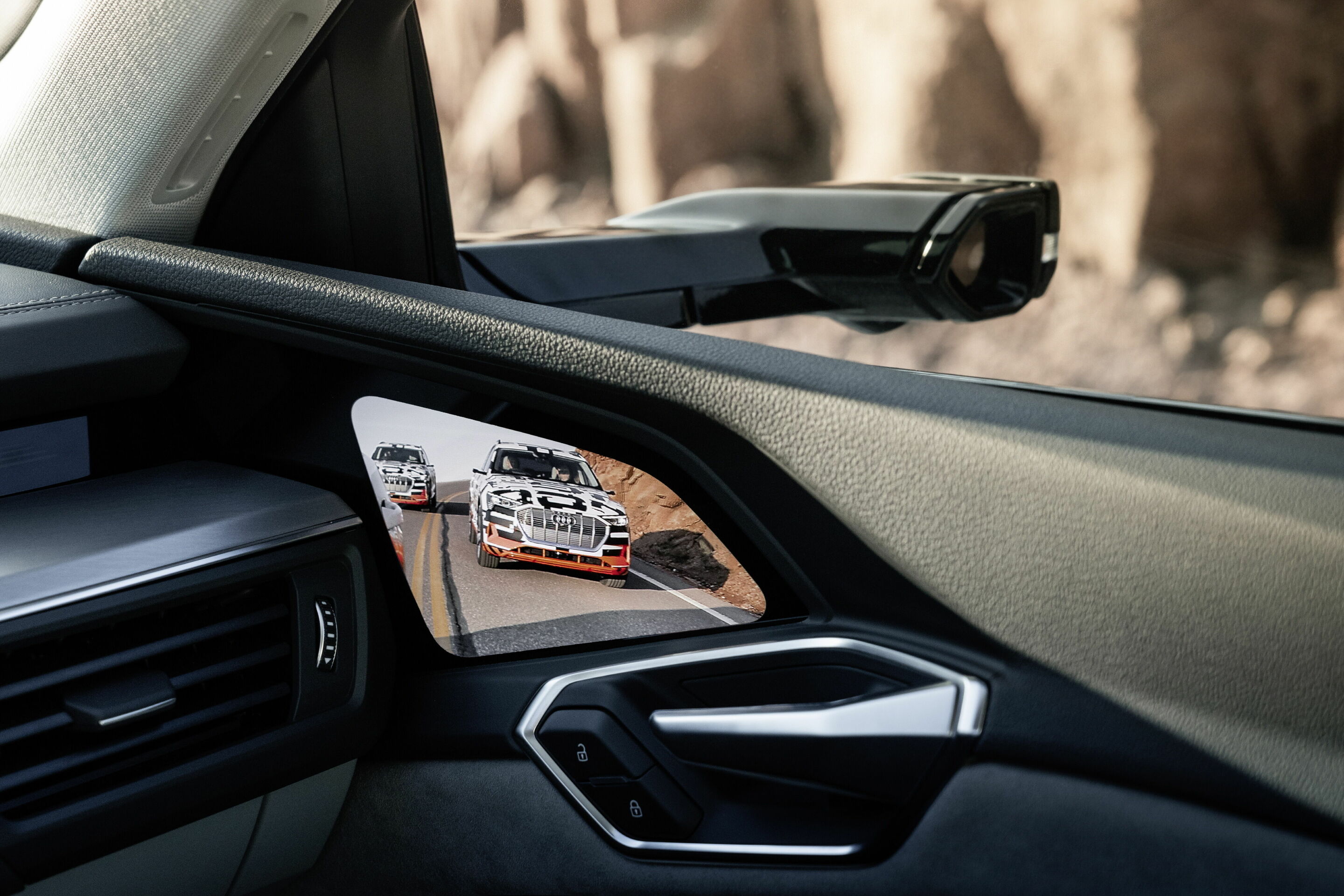
Since the introduction of the Audi e-tron, virtual exterior mirrors have been an integral part of the options catalog. Their flat mount integrates a small camera with a resolution of 1,280 x 1,080 pixels at its hexagonal end. It automatically adjusts image brightness according to the ambient conditions, for example when driving through a tunnel. A heating function protects the camera from fogging and icing. Each mount also houses an LED turn signal and, optionally, a top-view camera. Compared to the standard mirrors, the virtual exterior mirrors improve the vehicle’s drag coefficient and can thus reduce energy consumption. The virtual exterior mirrors can be folded up manually like conventional side-view mirrors.
Inside the vehicle, the camera images are digitally processed and displayed on high-contrast OLED displays (OLED = organic light-emitting diodes). They have a seven-inch diagonal, a resolution of 1,280 x 800 pixels, and feature automatic brightness control and proximity sensors. When drivers move a finger towards the screen, icons are activated that let them adjust the image. A switch function also allows the virtual passenger mirror to be activated.
Thanks to the sophisticated image processing, the displays offer a significantly better picture than conventional mirrors in some situations, such as in direct sunlight. They automatically adapt to three driving situations: highway, turning, and parking. The highway view appears when the vehicle is traveling faster than 90 km/h and the navigation data indicates that it is on the highway. The field of view is reduced in order to better estimate speeds when driving fast – vehicles thus appear larger on the display. If a turn or lane change is signaled by the turn signal, the turn signal view extends the image section to the corresponding side. This reduces the blind spot. When the vehicle is in reverse, the curb view improves visibility when maneuvering and parking. The image is extended downwards – similar to the automatic lowering of a conventional side mirror. The display visualizes the turn signal as a green outline on its outer frame and also shows the warnings from the lane change assistant Audi side assist and the exit warning.
Wi-Fi hotspot
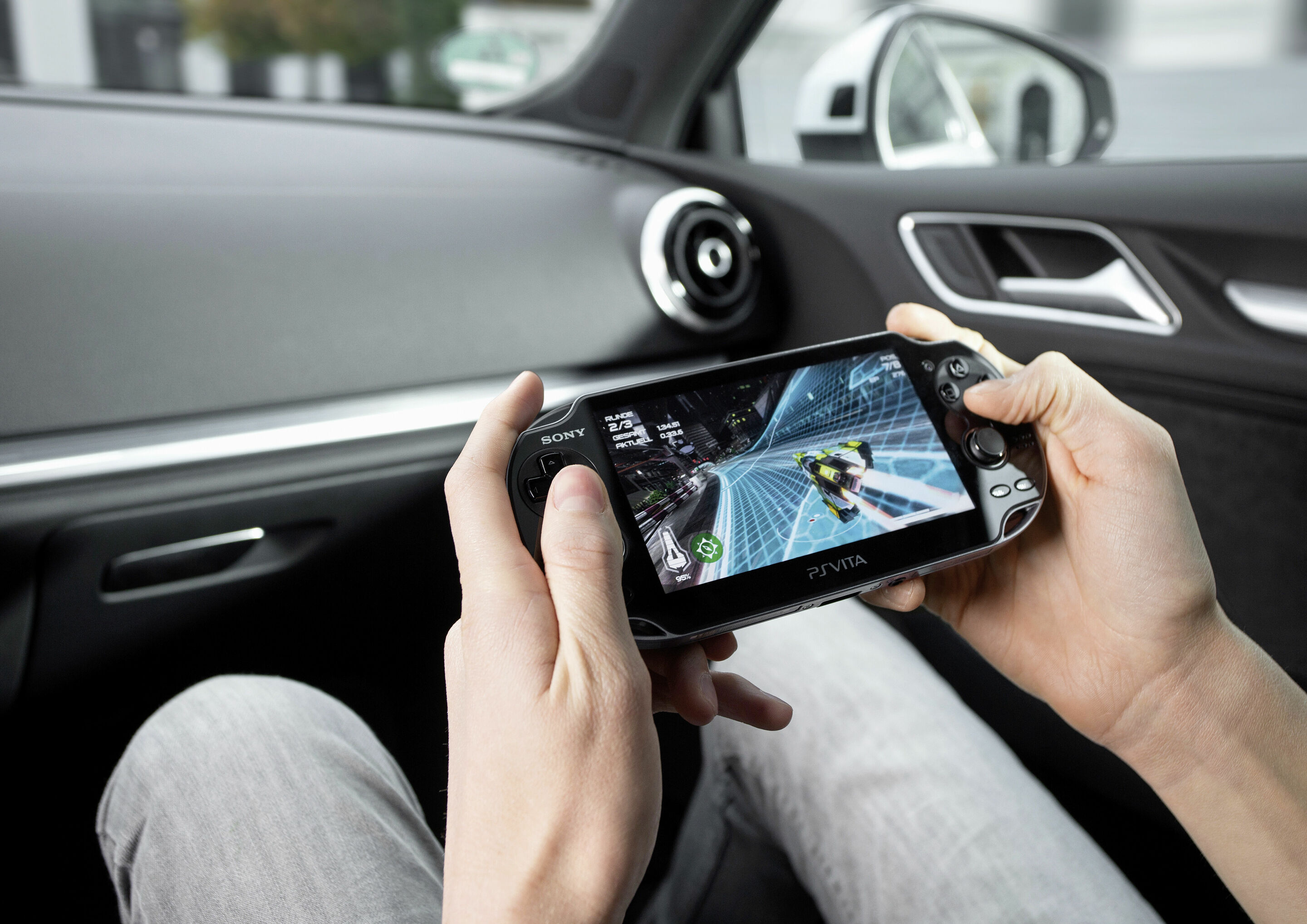
Using a Wi-Fi hotspot, vehicle occupants can connect a total of eight devices to the internet – including laptops, tablets, and smartphones. Communication with the internet takes place via the roof antenna. This ensures maximum connection stability and excellent reception quality. Encryption via the WPA2 standard provides the necessary security for data transmission.
If the vehicle is equipped with a permanently installed SIM card (Audi connect SIM), data packages can be booked via the online shop of Audi’s partner Cubic Telecom, either through a myAudi account or directly via the MMI system in the car. If a Europe package is selected, data transfer continues automatically at a fixed price when crossing a national border, i.e. when switching network providers. Alternatively, customers can still use their own SIM card in the vehicle and establish Wi-Fi internet access through their mobile network provider.